


TiMOVO Wireless Bluetooth Keyboard Chatpad for PS5 Controller, Black, Mini Game Keyboard with Built-in Speaker and 3.5mm Audio Jack
TiMOVO Wireless Bluetooth Keyboard Chatpad for PS5 Controller, Black, Mini Game Keyboard with Built-in Speaker and 3.5mm Audio Jack
Out of stock
Couldn't load pickup availability
Guarantee safe checkout

Sold by Gamex24, an authorized reseller.
Returns accepted within 30 days | support@gamex24.com
Shipping Information
- Free Standard Shipping — United States only
- Processing Time: 1–3 business days
- Estimated Delivery: 3–5 business days after dispatch
- Securely packed to ensure your purchase arrives in perfect condition
- Tracking number sent via email once dispatched
- Orders over $250 require signature upon delivery. Taxes calculated at checkout.
Returns & Refund
Returns accepted within 30 days of delivery.
Damaged or Defective Item
Free return shipping + replacement or full refund
Wrong Item Received
Free return shipping + replacement or full refund
Change of Mind
Return shipping at customer's expense · Item must be unused & in original packaging
Safety & Compliance
California Proposition 65 Warning
Some products sold on this website may expose you to chemicals known to the State of California to cause cancer, birth defects, or other reproductive harm.
www.P65Warnings.ca.govGeneral Product Safety Advisory
Always read the product label, instructions, and safety warnings before use. Do not use damaged or modified products. Store products in appropriate conditions as specified by the manufacturer.
Keep all products out of reach of children unless specifically designed for their use.
Product Authenticity & Notice
All products sold by Gamex24 are 100% authentic, sourced directly from authorized brand distributors. Product colors and dimensions may vary slightly from images due to screen calibration and manufacturing tolerances.
Gamex24 — Play. Compete. Repeat.


Description
Frequently Asked Questions
- Q: What are the dimensions of the TiMOVO keyboard for PS5? A: The dimensions are five point zero four inches long, two point zero nine inches wide, and one point three inches tall. This compact size ensures it fits well with the PS5 controller without adding bulk.
- Q: What material is used in the TiMOVO PS5 keyboard? A: The specific material is not listed, but it is designed to be lightweight and durable for gaming. This enhances the overall user experience and maintains controller compatibility.
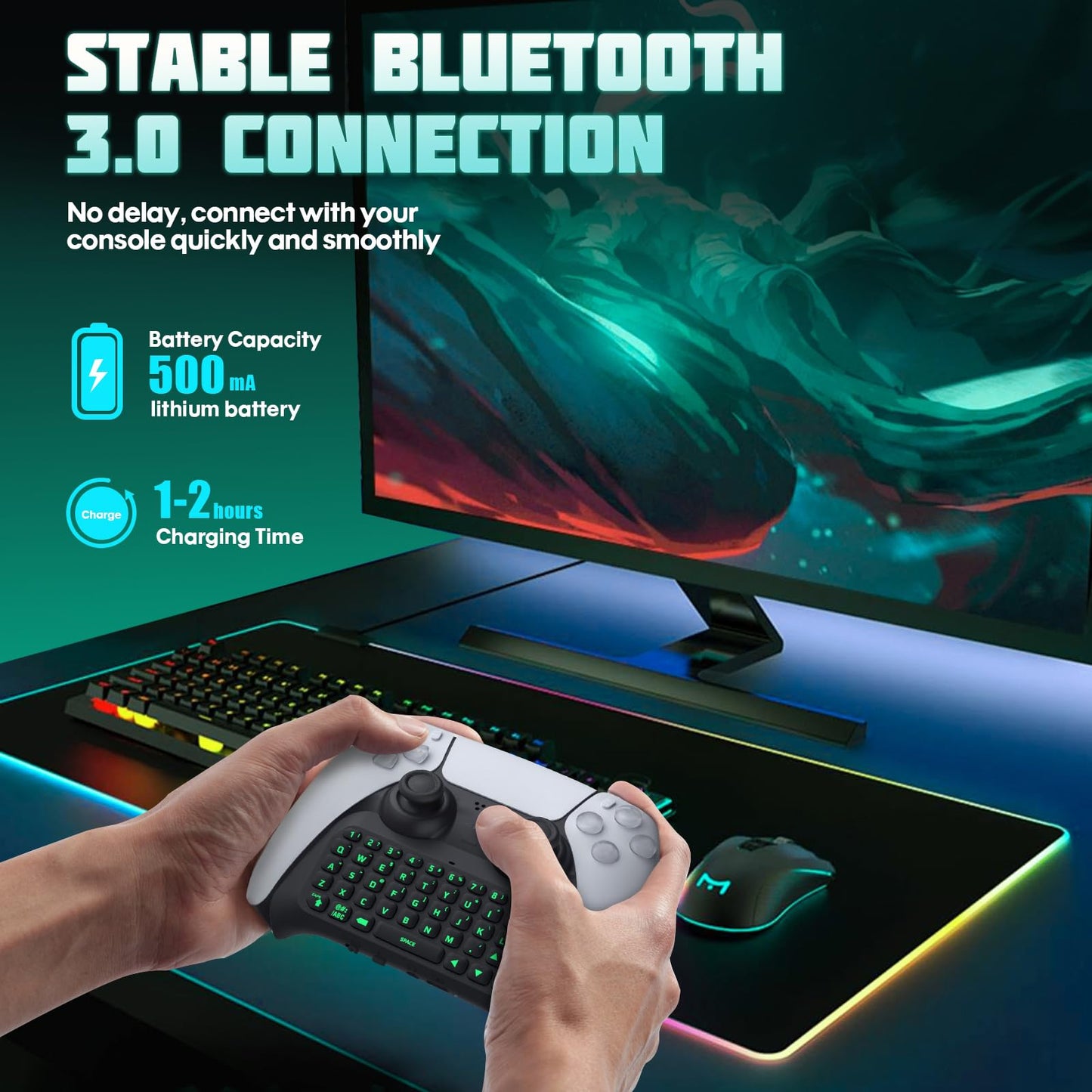
- Q: What type of batteries does this keyboard use? A: The keyboard uses lithium ion batteries packed with equipment. This allows for efficient power usage during gameplay.
- Q: How do you connect the TiMOVO keyboard to the PS5 controller? A: To connect, first pair the PS5 controller, then turn on the keyboard and hold the pairing button for about three seconds. Follow the on-screen prompts on the PS5 for a seamless connection.
- Q: Is the TiMOVO keyboard easy to use while gaming? A: Yes, the keyboard features an ergonomic design, making it easy to grip and operate during gaming sessions. This enhances overall comfort and usability.
- Q: Can I use external headphones with this keyboard? A: Yes, you can connect external headphones or headsets through the built-in three point five millimeter aux port. This allows for private audio listening while gaming.
- Q: How should I clean the TiMOVO PS5 keyboard? A: To clean the keyboard, use a soft, dry cloth to wipe the surface. Avoid using any liquid cleaners as they may damage the electronic components.
- Q: What should I do if the keyboard doesn't connect to the PS5? A: If the keyboard doesn't connect, ensure the PS5 controller is paired first and that you are following the correct pairing steps. Restarting both devices may also help resolve connectivity issues.
- Q: Is the TiMOVO keyboard suitable for all types of gamers? A: Yes, the TiMOVO keyboard is suitable for all types of gamers, whether casual or serious, due to its ergonomic design and easy functionality.
- Q: What kind of backlight does the TiMOVO keyboard feature? A: The keyboard features a cool green backlight that activates when the device is turned on. This adds an attractive aesthetic while gaming.
- Q: Does the keyboard have a built-in speaker? A: Yes, the TiMOVO keyboard includes a built-in speaker for chat audio, enhancing communication with teammates during gameplay.
- Q: What is the weight of the TiMOVO PS5 keyboard? A: The weight is not specified, but it is designed to be lightweight for easy handling and comfort during extended gaming sessions.
- Q: Can I use this keyboard for other devices besides the PS5? A: The keyboard is specifically designed for the PlayStation 5 Controller. Compatibility with other devices is not guaranteed.
- Q: What should I do if the keyboard arrives damaged? A: If the keyboard arrives damaged, contact the retailer for return or exchange options. They typically have policies in place for such issues.
- Q: Does this keyboard come with a charging cable? A: No, a charging cable is not included with the TiMOVO keyboard. You will need to use a compatible USB cable for charging.
- Q: How long does the battery last on the TiMOVO keyboard? A: The exact battery life is not specified, but lithium ion batteries generally provide long-lasting performance during gaming sessions.