


SOLAKAKA SM820 Wireless Gaming Mouse - 24000 DPI, RGB Charging Dock, Programmable Macro, White
SOLAKAKA SM820 Wireless Gaming Mouse - 24000 DPI, RGB Charging Dock, Programmable Macro, White
Out of stock
Couldn't load pickup availability
Guarantee safe checkout

Sold by Gamex24, an authorized reseller.
Returns accepted within 30 days | support@gamex24.com
Shipping Information
- Free Standard Shipping — United States only
- Processing Time: 1–3 business days
- Estimated Delivery: 3–5 business days after dispatch
- Securely packed to ensure your purchase arrives in perfect condition
- Tracking number sent via email once dispatched
- Orders over $250 require signature upon delivery. Taxes calculated at checkout.
Returns & Refund
Returns accepted within 30 days of delivery.
Damaged or Defective Item
Free return shipping + replacement or full refund
Wrong Item Received
Free return shipping + replacement or full refund
Change of Mind
Return shipping at customer's expense · Item must be unused & in original packaging
Safety & Compliance
California Proposition 65 Warning
Some products sold on this website may expose you to chemicals known to the State of California to cause cancer, birth defects, or other reproductive harm.
www.P65Warnings.ca.govGeneral Product Safety Advisory
Always read the product label, instructions, and safety warnings before use. Do not use damaged or modified products. Store products in appropriate conditions as specified by the manufacturer.
Keep all products out of reach of children unless specifically designed for their use.
Product Authenticity & Notice
All products sold by Gamex24 are 100% authentic, sourced directly from authorized brand distributors. Product colors and dimensions may vary slightly from images due to screen calibration and manufacturing tolerances.
Gamex24 — Play. Compete. Repeat.


Description
Frequently Asked Questions
- Q: What are the connectivity options for the SOLAKAKA SM820 Wireless Gaming Mouse? A: The SOLAKAKA SM820 Wireless Gaming Mouse supports tri-mode connectivity, allowing for connections via 2.4GHz wireless, Bluetooth 5.0, and Type C wired. This versatility enables compatibility with various devices such as desktop computers, laptops, smartphones, and tablets.
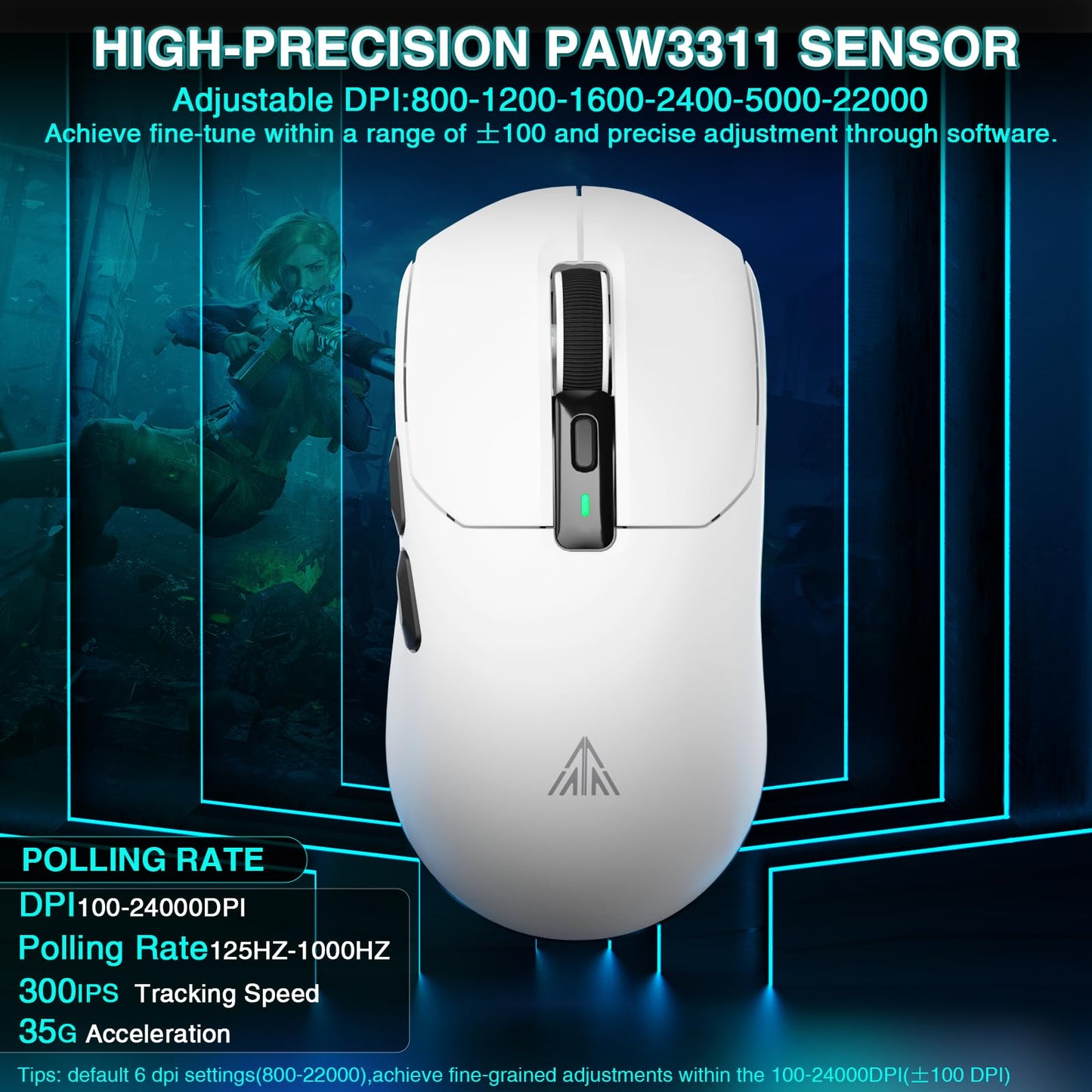
- Q: How high can the DPI be adjusted on the SM820 gaming mouse? A: The SM820 gaming mouse features a high-precision PAW3311 optical sensor, allowing users to adjust the DPI from one hundred to twenty-four thousand. This range provides flexibility for both precise maneuvers and rapid movements during gaming.
- Q: Does the SM820 mouse have customizable buttons? A: Yes, the SM820 gaming mouse supports software customization, allowing users to program buttons, set macro files, and adjust DPI and polling rates according to their needs, enhancing both gaming and office experiences.
- Q: What is the weight of the SOLAKAKA SM820 mouse? A: The SOLAKAKA SM820 Wireless Gaming Mouse weighs approximately fifty-eight grams, which is designed to reduce wrist strain and enhance comfort during extended use.
- Q: What features does the RGB charging dock provide? A: The RGB charging dock for the SM820 not only serves as a charging base but also features colorful RGB lighting effects for aesthetic appeal. Additionally, it optimizes the 2.4GHz wireless signal for a more stable connection.
- Q: Is the SM820 gaming mouse suitable for left-handed users? A: The SOLAKAKA SM820 mouse is designed primarily for right-handed users, featuring an ergonomic shape that fits comfortably in the right hand. Left-handed users may find it less comfortable due to its design.
- Q: What is the polling rate of the SM820 gaming mouse? A: The SM820 mouse has a polling rate of up to one thousand Hertz, which ensures fast and accurate response times during gaming.
- Q: Can the SM820 mouse connect to multiple devices? A: Yes, the SM820 can save settings for up to three devices, allowing users to easily switch between them by pressing the mode switch button located at the bottom of the mouse.
- Q: What is the ergonomic design of the SM820 mouse like? A: The SM820 features a lightweight and ergonomic design that fits the contours of the right hand, promoting comfort during gaming or office tasks while minimizing wrist strain.
- Q: Is the SM820 compatible with gaming consoles? A: The SM820 gaming mouse is primarily designed for use with PCs, laptops, and tablets. Compatibility with gaming consoles may vary, and users should check specific console requirements before use.