


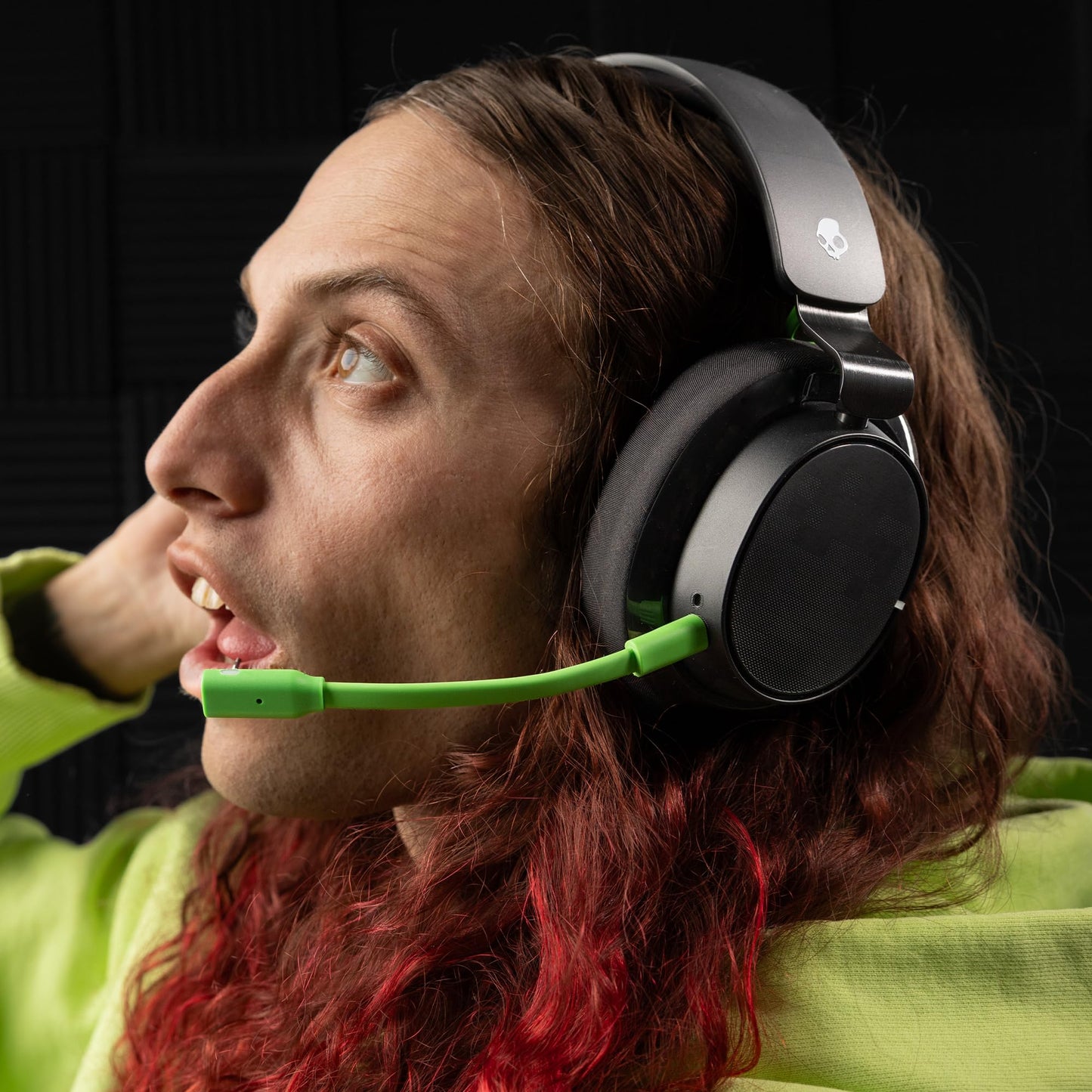
Skullcandy SLYR Pro Wireless Gaming Headset - Bluetooth, 24H Battery, Black/Green, PC/Xbox/PlayStation/Nintendo Switch, Model S6SCY-R080
Skullcandy SLYR Pro Wireless Gaming Headset - Bluetooth, 24H Battery, Black/Green, PC/Xbox/PlayStation/Nintendo Switch, Model S6SCY-R080
Out of stock
Couldn't load pickup availability
Guarantee safe checkout

Sold by Gamex24, an authorized reseller.
Returns accepted within 30 days | support@gamex24.com
Shipping Information
- Free Standard Shipping — United States only
- Processing Time: 1–3 business days
- Estimated Delivery: 3–5 business days after dispatch
- Securely packed to ensure your purchase arrives in perfect condition
- Tracking number sent via email once dispatched
- Orders over $250 require signature upon delivery. Taxes calculated at checkout.
Returns & Refund
Returns accepted within 30 days of delivery.
Damaged or Defective Item
Free return shipping + replacement or full refund
Wrong Item Received
Free return shipping + replacement or full refund
Change of Mind
Return shipping at customer's expense · Item must be unused & in original packaging
Safety & Compliance
California Proposition 65 Warning
Some products sold on this website may expose you to chemicals known to the State of California to cause cancer, birth defects, or other reproductive harm.
www.P65Warnings.ca.govGeneral Product Safety Advisory
Always read the product label, instructions, and safety warnings before use. Do not use damaged or modified products. Store products in appropriate conditions as specified by the manufacturer.
Keep all products out of reach of children unless specifically designed for their use.
Product Authenticity & Notice
All products sold by Gamex24 are 100% authentic, sourced directly from authorized brand distributors. Product colors and dimensions may vary slightly from images due to screen calibration and manufacturing tolerances.
Gamex24 — Play. Compete. Repeat.


Description
Frequently Asked Questions
- Q: What devices are compatible with the Skullcandy SLYR Pro Wireless Gaming Headset? A: The Skullcandy SLYR Pro Wireless Gaming Headset is compatible with multiple gaming platforms including Xbox, PC, PlayStation, Nintendo Switch, and mobile devices. It can connect via Bluetooth, low-latency wireless using the included transmitter, or through a standard 3.5mm aux cable.
- Q: How long is the battery life on the Skullcandy SLYR Pro? A: The Skullcandy SLYR Pro offers an impressive battery life of up to thirty hours on a single charge. Additionally, it features Rapid Charge technology that allows for quick power-ups during gaming sessions.
- Q: What is Clear Voice Smart Mic technology? A: Clear Voice Smart Mic technology utilizes artificial intelligence to isolate the speaker's voice while reducing background noise. This ensures clearer communication during gameplay, whether using the integrated microphones or the detachable boom microphone.
- Q: Can I use the Skullcandy SLYR Pro with my mobile device? A: Yes, the Skullcandy SLYR Pro can be used with mobile devices. It supports Bluetooth connectivity, allowing you to enjoy wireless audio while gaming or listening to music on the go.
- Q: Is there an app available for the Skullcandy SLYR Pro? A: Yes, the Skull-HQ app is available for download on both desktop and mobile platforms. The app provides access to advanced features such as ChatMix, equalizer settings, and sidetone adjustments to enhance your gaming experience.
- Q: What accessories are included with the Skullcandy SLYR Pro? A: The Skullcandy SLYR Pro package includes a user manual, a one-month subscription to Xbox Game Pass Ultimate, a USB-C to USB-A cable, and an ultra-low-latency wireless transmitter.
- Q: What color options are available for the Skullcandy SLYR Pro? A: The Skullcandy SLYR Pro is available in a Black/Green color scheme, specifically designed for Xbox users but suitable for all compatible devices.
- Q: How do I connect the Skullcandy SLYR Pro to my Xbox? A: To connect the Skullcandy SLYR Pro to your Xbox, use the included ultra-low-latency wireless transmitter. Simply plug the transmitter into the Xbox USB port, and the headset will connect automatically.
- Q: Does the Skullcandy SLYR Pro come with a warranty? A: Yes, the Skullcandy SLYR Pro includes a one-year limited warranty for customers in the USA, providing peace of mind regarding quality and performance.
- Q: What should I do if I experience connectivity issues with the headset? A: If you experience connectivity issues with the Skullcandy SLYR Pro, ensure that the headset is fully charged and properly paired with your device. Restarting both the headset and the gaming device may also resolve connectivity problems.