


RedThunder K84 Wireless Keyboard & Mouse Combo, 75% TKL, Rainbow Backlit, Rechargeable, White
RedThunder K84 Wireless Keyboard & Mouse Combo, 75% TKL, Rainbow Backlit, Rechargeable, White
Out of stock
Couldn't load pickup availability
Guarantee safe checkout

Sold by Gamex24, an authorized reseller.
Returns accepted within 30 days | support@gamex24.com
Shipping Information
- Free Standard Shipping — United States only
- Processing Time: 1–3 business days
- Estimated Delivery: 3–5 business days after dispatch
- Securely packed to ensure your purchase arrives in perfect condition
- Tracking number sent via email once dispatched
- Orders over $250 require signature upon delivery. Taxes calculated at checkout.
Returns & Refund
Returns accepted within 30 days of delivery.
Damaged or Defective Item
Free return shipping + replacement or full refund
Wrong Item Received
Free return shipping + replacement or full refund
Change of Mind
Return shipping at customer's expense · Item must be unused & in original packaging
Safety & Compliance
California Proposition 65 Warning
Some products sold on this website may expose you to chemicals known to the State of California to cause cancer, birth defects, or other reproductive harm.
www.P65Warnings.ca.govGeneral Product Safety Advisory
Always read the product label, instructions, and safety warnings before use. Do not use damaged or modified products. Store products in appropriate conditions as specified by the manufacturer.
Keep all products out of reach of children unless specifically designed for their use.
Product Authenticity & Notice
All products sold by Gamex24 are 100% authentic, sourced directly from authorized brand distributors. Product colors and dimensions may vary slightly from images due to screen calibration and manufacturing tolerances.
Gamex24 — Play. Compete. Repeat.


Description
Frequently Asked Questions
- Q: What is the size of the RedThunder K84 Wireless Keyboard and Mouse Combo? A: The keyboard measures eleven point eight one inches in length, four point seven two inches in width, and one point three eight inches in height.
- Q: What type of lighting effects does the keyboard have? A: The keyboard features three groups of rainbow backlight effects, including three static modes and one dynamic breathing mode.
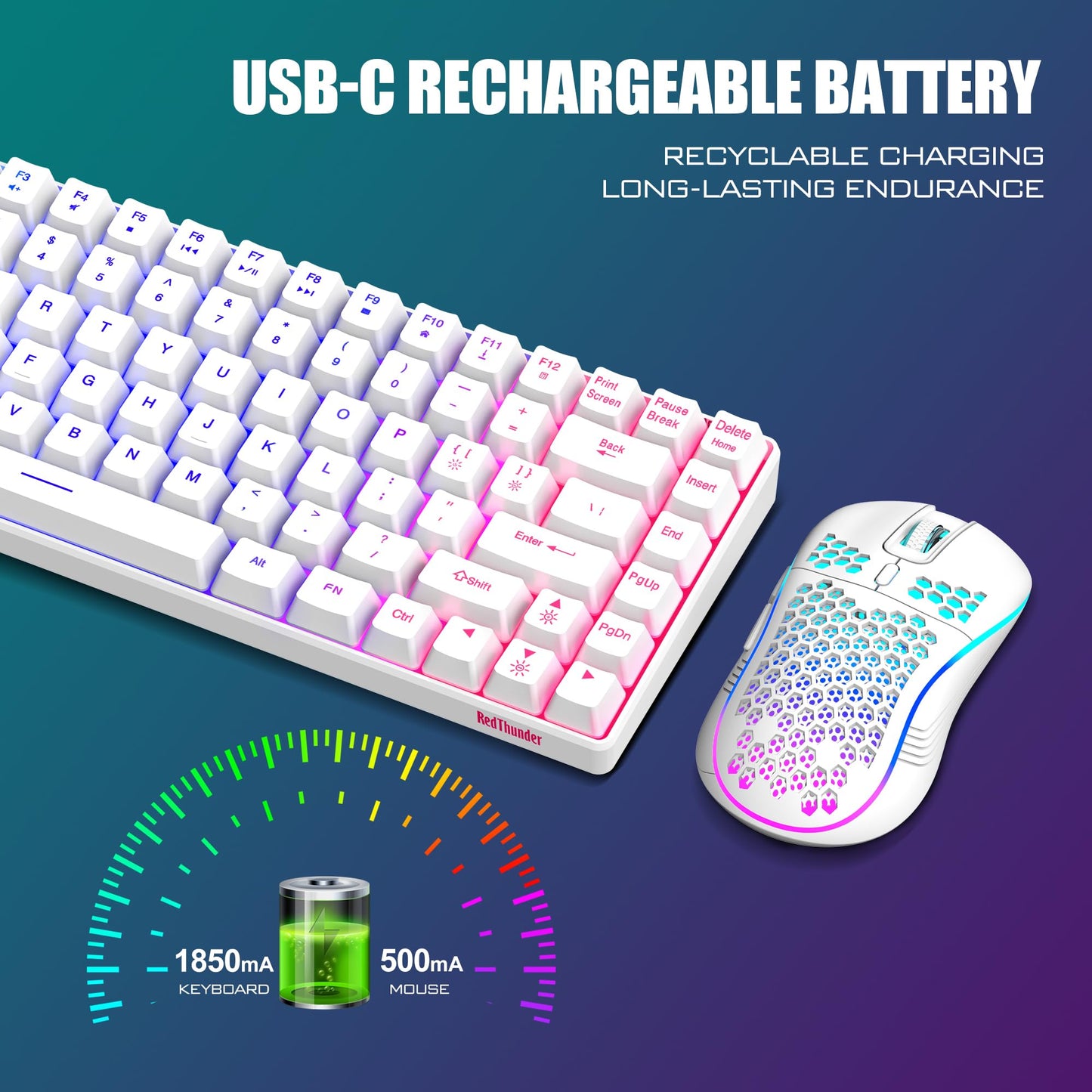
- Q: What is the battery capacity of the keyboard and mouse? A: The keyboard comes with a one thousand eight hundred fifty milliampere-hour battery, while the mouse has a five hundred milliampere-hour battery.
- Q: How do I use the RedThunder K84 Wireless Keyboard and Mouse? A: Simply insert the USB receiver into your computer, turn on both the keyboard and mouse, and they will connect automatically.
- Q: Is the keyboard suitable for gaming? A: Yes, the RedThunder K84 is optimized for gaming with a high-performance two point four gigahertz wireless connection for stable transmission.
- Q: How do I charge the keyboard and mouse? A: Use the original USB cable to charge both devices via a computer USB port, allowing approximately eight hours for a full charge.
- Q: How can I keep the keyboard and mouse in good condition? A: To maintain their condition, avoid exposing them to moisture and clean them regularly with a dry cloth to prevent dust buildup.
- Q: Are there any energy-saving features on this combo? A: Yes, both the keyboard and mouse automatically enter sleep mode after two minutes of inactivity to conserve battery life.
- Q: Can the lighting on the keyboard be customized? A: No, the keyboard's lighting is fixed and cannot be changed, but it offers different brightness levels and breathing rates.
- Q: Is the RedThunder K84 suitable for small hands? A: Yes, the ultra-light honeycomb shell mouse and compact keyboard design are ergonomically suitable for users with smaller hands.
- Q: What is the lifespan of the keyboard keys? A: The keys are rated for a ten million keystrokes lifetime, ensuring durability for extensive use over many years.
- Q: What should I do if the keyboard and mouse lose connection? A: You can easily reset the code pairing by following the instructions in the user manual, or contact customer support for assistance.
- Q: Does the keyboard have dedicated media keys? A: Yes, the keyboard retains dedicated media keys along with arrow keys, making it more practical for various tasks.
- Q: Is the mouse designed for comfort? A: Yes, the mouse features an ergonomic design that fits the palm comfortably and includes an anti-sweat, non-slip surface.
- Q: What is the weight of the mouse? A: The mouse weighs approximately sixty-five grams, making it lightweight and easy to maneuver during use.