Skip to product information
1 of 1

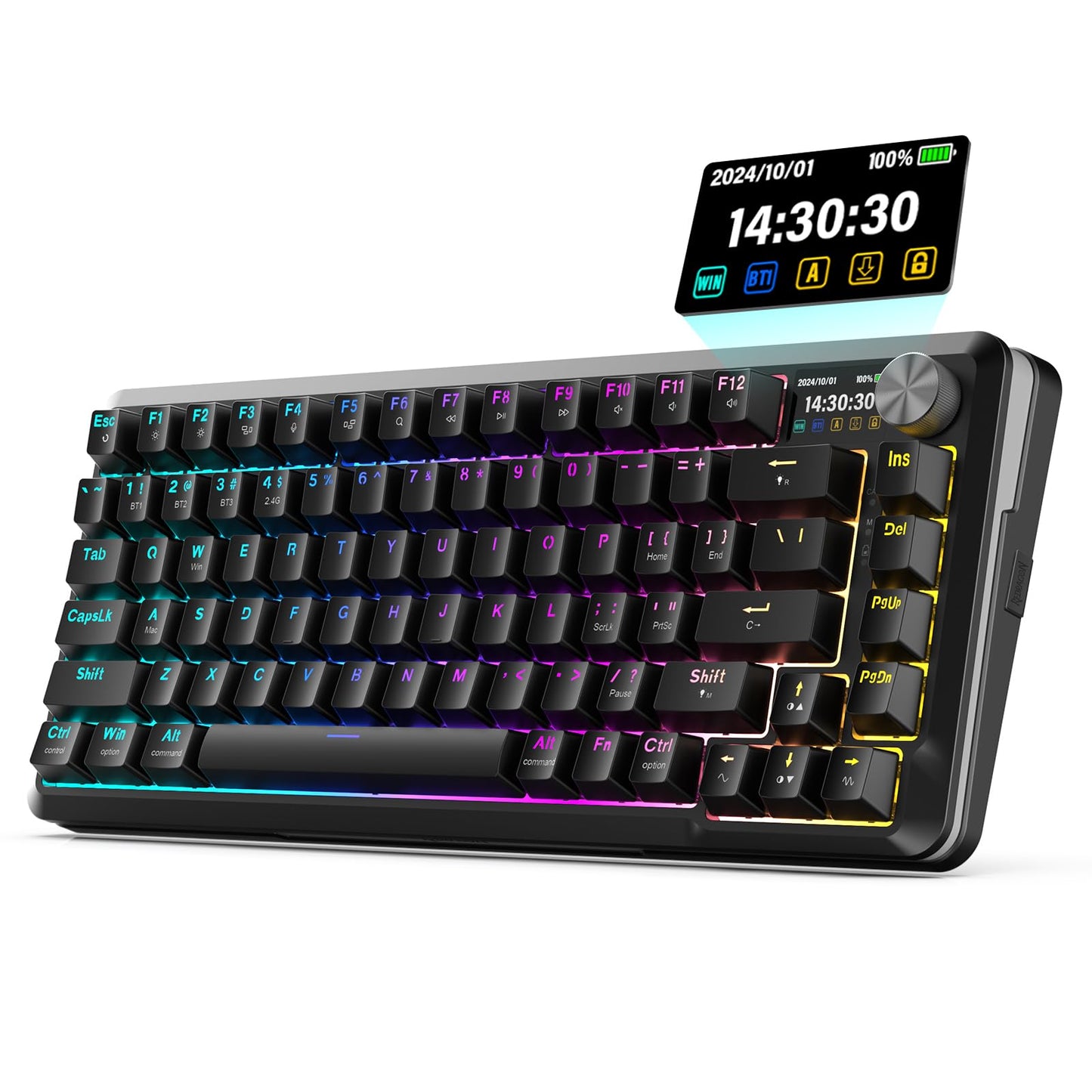
Redragon K708 Pro Wireless Mechanical Keyboard Gasket RGB Gaming Keyboard with 81 Programmable Custom Keys 3-Modes Wireless Keyboard with Hot-Swap Pre-Lubed Leopard L Switch Screen & Knob Black

Redragon K708 Pro Wireless Mechanical Keyboard Gasket RGB Gaming Keyboard with 81 Programmable Custom Keys 3-Modes Wireless Keyboard with Hot-Swap Pre-Lubed Leopard L Switch Screen & Knob Black

Regular price $94.58
Regular price $94.58 Sale price $94.58
Sale Sold out
Shipping calculated at checkout.
SKU: WBGMXB0D9Y25CCP
Brand: Redragon

Out of stock

Quantity

Guarantee safe checkout

Payment Methods - Visa, Mastercard, PayPal, etc.

Sold by Gamex24, an authorized reseller.

Returns accepted within 30 days  |  support@gamex24.com

✓ Verified
Shipping Information
  • Free Standard Shipping — United States only
  • Processing Time: 1–3 business days
  • Estimated Delivery: 3–5 business days after dispatch
  • Securely packed to ensure your purchase arrives in perfect condition
  • Tracking number sent via email once dispatched
  • Orders over $250 require signature upon delivery. Taxes calculated at checkout.
Returns & Refund

Returns accepted within 30 days of delivery.

Damaged or Defective Item

Free return shipping + replacement or full refund

Wrong Item Received

Free return shipping + replacement or full refund

Change of Mind

Return shipping at customer's expense · Item must be unused & in original packaging

All returns require a Return Authorization (RA) number before sending.

To initiate a return, contact us:

support@gamex24.com +1 832-402-9851
View Full Return & Refund Policy
Safety & Compliance
⚠️

California Proposition 65 Warning

Some products sold on this website may expose you to chemicals known to the State of California to cause cancer, birth defects, or other reproductive harm.

www.P65Warnings.ca.gov
🛒

General Product Safety Advisory

Always read the product label, instructions, and safety warnings before use. Do not use damaged or modified products. Store products in appropriate conditions as specified by the manufacturer.

Keep all products out of reach of children unless specifically designed for their use.

ℹ️

Product Authenticity & Notice

All products sold by Gamex24 are 100% authentic, sourced directly from authorized brand distributors. Product colors and dimensions may vary slightly from images due to screen calibration and manufacturing tolerances.

Gamex24 — Play. Compete. Repeat.
View full details

Description

Product Features Backlight1. The default 20 backlight patterns switch by press [FN] + [R_SHIFT] to cycling switch the light patterns.2. Press [FN] + [?/?] to adjust light rotating speed total 6 levels. Press [FN] + [ ? / ? ] to adjust backlight brightness total 6 levels.3. Backlight color switching: [FN] + [ENTER] to cycling switch Red Green Blue Yellow Purple Cyan White RGB.4. Backlight DIY: Press [FN] + [Back space] to enter DIY mode [ESC] [A] [S] [W] [D] [ ? ] [ ? ] [?] [?] lights on by default Press [FN] + [Back space] again to start recording CAPS LED will flashing till the recording completed Continuously press the key to select the color you want to set once key light color setting are completed press [FN] + [Back space] to save.How to connect the keyboard with multi-ple devicesWired Connection1.2.4G/OFF/BT switch on OFF.2.Connect the keyboard to computer with USB cable.3.The computer will recognize and configure the keyboard automatically.2.4G Wireless Connection1.2.4G/OFF/BT switch on 2.4G.2.Press and hold [FN]+[4]for 3 seconds the LED flashes quickly in white plug the USB receiver into USB port on your computer after paired the LED will turn to white steady on.Bluetooth Connection1.2.4G/OFF/BT switch onBT.2.Press and hold [FN]+[1/2/3]for 3 seconds Indicator flashes in Blue[1]or Red[2] or Green[3] quickly.3.Turn on Bluetooth function and searching for available devices It will find BT5.2_1 or BT5.2_2 or BT5.2_3device. Select a Bluetooth name to pair after paired the LED will turn to steady on.4.To switch the Bluetooth connections playween BT1/BT2/BT3 press FN+1/2/3.