


Razer Firefly V2 Pro RGB Gaming Mouse Mat - 15 Zone Lighting, USB-C, Micro Textured Surface, 14.2L x 11W inches, Phantom White
Razer Firefly V2 Pro RGB Gaming Mouse Mat - 15 Zone Lighting, USB-C, Micro Textured Surface, 14.2L x 11W inches, Phantom White
Out of stock
Couldn't load pickup availability
Guarantee safe checkout

Sold by Gamex24, an authorized reseller.
Returns accepted within 30 days | support@gamex24.com
Shipping Information
- Free Standard Shipping — United States only
- Processing Time: 1–3 business days
- Estimated Delivery: 3–5 business days after dispatch
- Securely packed to ensure your purchase arrives in perfect condition
- Tracking number sent via email once dispatched
- Orders over $250 require signature upon delivery. Taxes calculated at checkout.
Returns & Refund
Returns accepted within 30 days of delivery.
Damaged or Defective Item
Free return shipping + replacement or full refund
Wrong Item Received
Free return shipping + replacement or full refund
Change of Mind
Return shipping at customer's expense · Item must be unused & in original packaging
Safety & Compliance
California Proposition 65 Warning
Some products sold on this website may expose you to chemicals known to the State of California to cause cancer, birth defects, or other reproductive harm.
www.P65Warnings.ca.govGeneral Product Safety Advisory
Always read the product label, instructions, and safety warnings before use. Do not use damaged or modified products. Store products in appropriate conditions as specified by the manufacturer.
Keep all products out of reach of children unless specifically designed for their use.
Product Authenticity & Notice
All products sold by Gamex24 are 100% authentic, sourced directly from authorized brand distributors. Product colors and dimensions may vary slightly from images due to screen calibration and manufacturing tolerances.
Gamex24 — Play. Compete. Repeat.


Description
Frequently Asked Questions
- Q: What are the dimensions of the Razer Firefly V2 Pro mouse mat? A: The Razer Firefly V2 Pro measures fourteen point two inches long by eleven inches wide. This size provides ample space for gaming and precision movements.
- Q: What color is the Razer Firefly V2 Pro mouse mat? A: The mouse mat is available in Phantom White. This color enhances the aesthetic of any RGB setup.
- Q: What materials are used in the Razer Firefly V2 Pro? A: The Razer Firefly V2 Pro features a micro-textured surface and a rubberized base. These materials ensure optimal performance and stability during use.
- Q: How do I customize the RGB lighting on the Razer Firefly V2 Pro? A: You can customize the RGB lighting using Razer Chroma RGB software. This allows you to choose from sixteen point eight million colors and various dynamic effects.
- Q: Can I connect my mouse directly to the Razer Firefly V2 Pro? A: Yes, the mouse mat includes an integrated USB two point zero port. This port allows you to connect your mouse dongle for minimal interference.
- Q: How should I clean the Razer Firefly V2 Pro mouse mat? A: To clean the mat, wipe it gently with a damp cloth. Avoid using harsh chemicals to maintain its surface integrity.
- Q: Is the Razer Firefly V2 Pro mouse mat suitable for all types of gaming? A: Yes, it is designed for all gaming types. The low friction surface balances speed and control for both casual and competitive gamers.
- Q: How do I store the Razer Firefly V2 Pro mouse mat? A: Store the mouse mat flat in a cool, dry place. Avoid folding it to maintain its shape and surface quality.
- Q: Does the Razer Firefly V2 Pro work with wireless mice? A: Yes, it is compatible with wireless mice. The built-in USB port allows for close, interference-free connections.
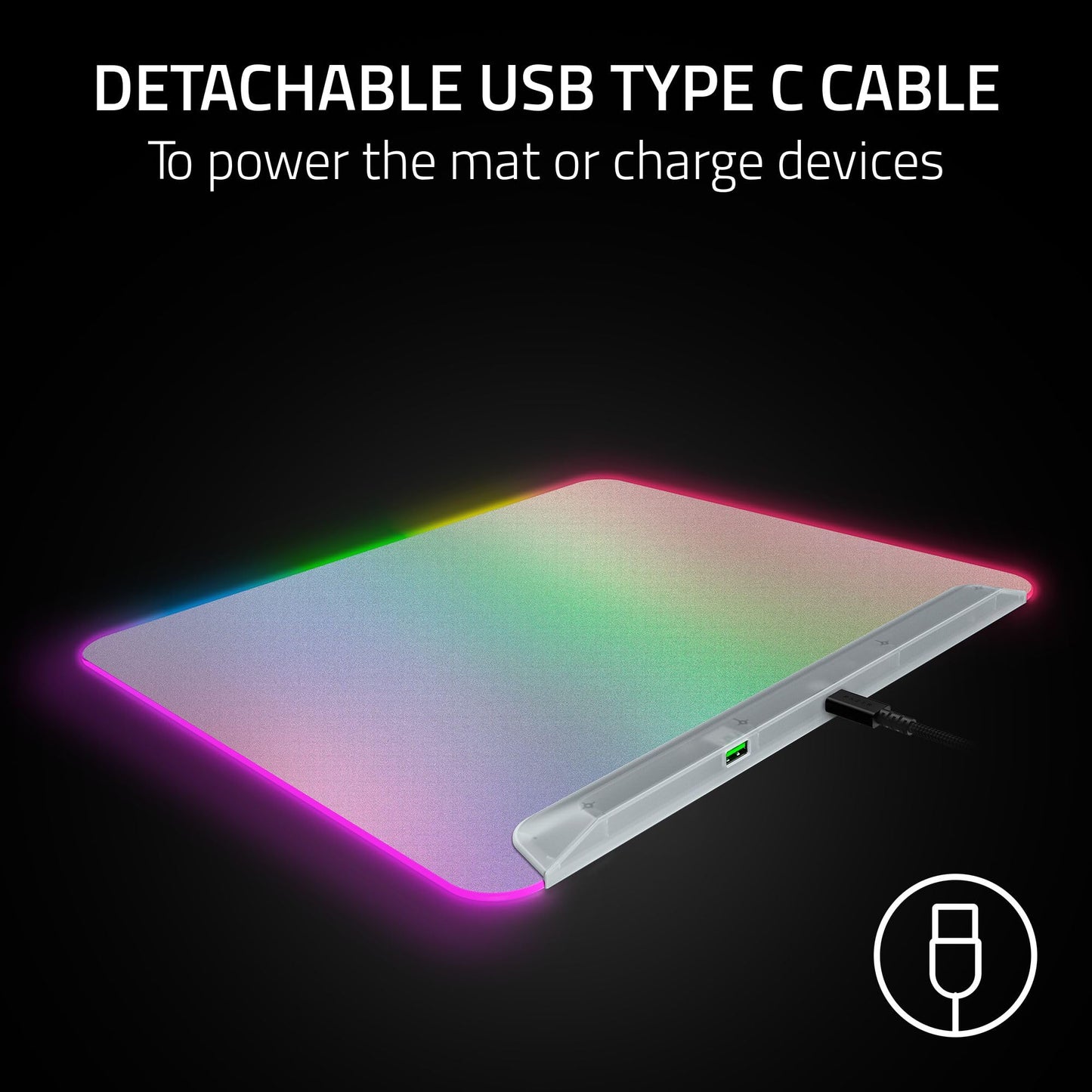
- Q: Is the Razer Firefly V2 Pro easy to set up? A: Yes, setup is straightforward. Simply plug in the detachable USB Type C cable to your computer and connect your devices.
- Q: What gaming setups benefit from the Razer Firefly V2 Pro? A: The mat complements RGB battle stations, enhancing the overall aesthetic with its customizable lighting zones.
- Q: What makes the surface of the Razer Firefly V2 Pro unique? A: The micro-textured surface is optimized for optical sensors, providing precise tracking and smooth swipes during gameplay.
- Q: Can I use the Razer Firefly V2 Pro with non-Razer devices? A: Yes, it is compatible with any gaming mouse that supports USB connectivity. The RGB features can be utilized with Razer software.
- Q: What should I do if my Razer Firefly V2 Pro arrives damaged? A: Contact Razer customer support immediately for assistance. They can guide you through the return or exchange process.
- Q: Is the Razer Firefly V2 Pro suitable for beginners? A: Yes, it is user-friendly and ideal for gamers of all skill levels. Its features enhance the gaming experience for everyone.