


Nintendo Switch Sports Game - Model 205212 - Fun Sports Gameplay for All Ages
Nintendo Switch Sports Game - Model 205212 - Fun Sports Gameplay for All Ages
Out of stock
Couldn't load pickup availability
Guarantee safe checkout

Sold by Gamex24, an authorized reseller.
Returns accepted within 30 days | support@gamex24.com
Shipping Information
- Free Standard Shipping — United States only
- Processing Time: 1–3 business days
- Estimated Delivery: 3–5 business days after dispatch
- Securely packed to ensure your purchase arrives in perfect condition
- Tracking number sent via email once dispatched
- Orders over $250 require signature upon delivery. Taxes calculated at checkout.
Returns & Refund
Returns accepted within 30 days of delivery.
Damaged or Defective Item
Free return shipping + replacement or full refund
Wrong Item Received
Free return shipping + replacement or full refund
Change of Mind
Return shipping at customer's expense · Item must be unused & in original packaging
Safety & Compliance
California Proposition 65 Warning
Some products sold on this website may expose you to chemicals known to the State of California to cause cancer, birth defects, or other reproductive harm.
www.P65Warnings.ca.govGeneral Product Safety Advisory
Always read the product label, instructions, and safety warnings before use. Do not use damaged or modified products. Store products in appropriate conditions as specified by the manufacturer.
Keep all products out of reach of children unless specifically designed for their use.
Product Authenticity & Notice
All products sold by Gamex24 are 100% authentic, sourced directly from authorized brand distributors. Product colors and dimensions may vary slightly from images due to screen calibration and manufacturing tolerances.
Gamex24 — Play. Compete. Repeat.


Description
Frequently Asked Questions
- Q: What is Nintendo Switch Sports made of? A: Nintendo Switch Sports is a video game and does not have physical materials. It is designed for the Nintendo Switch console.
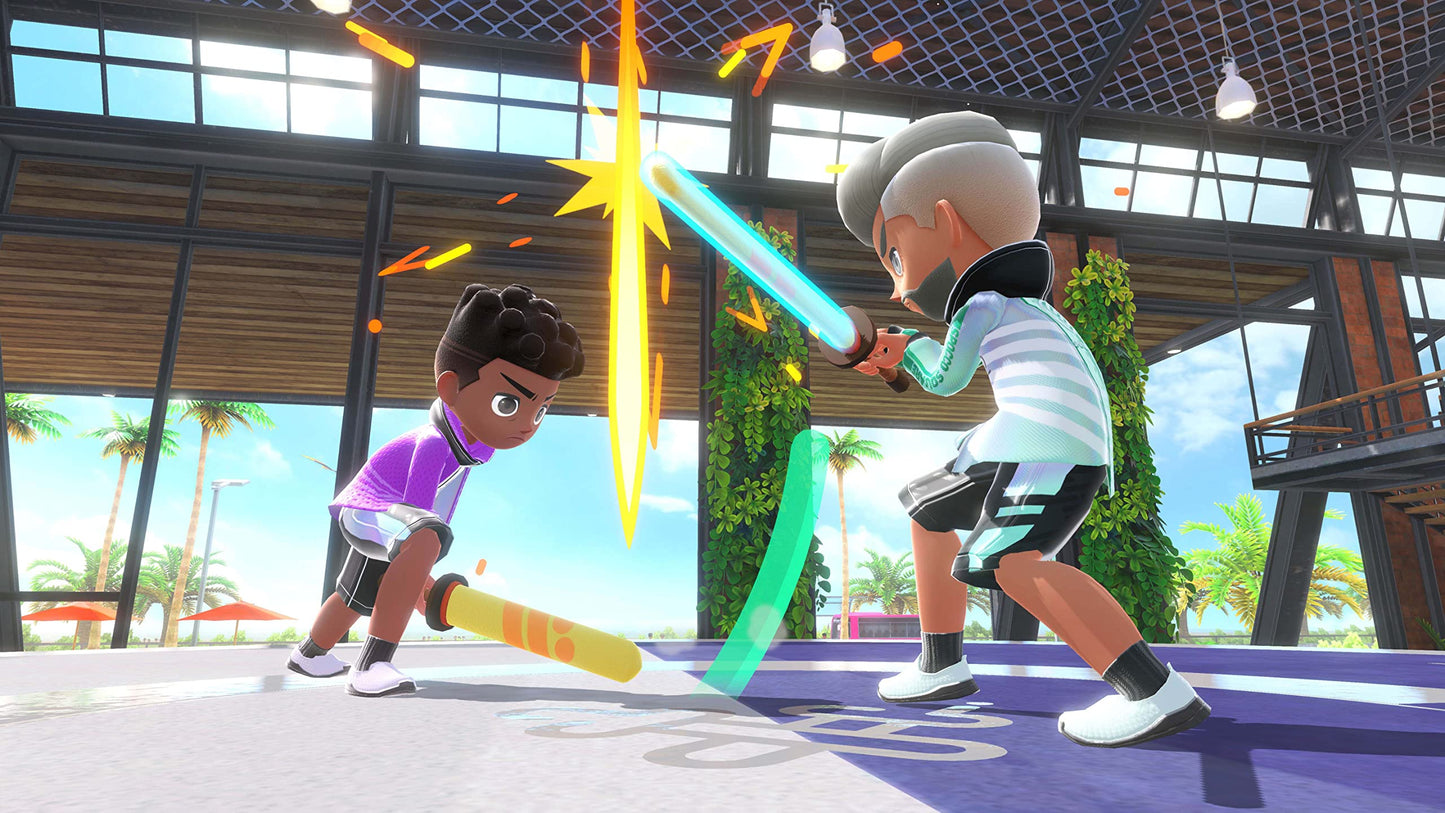
- Q: How many sports can I play in Nintendo Switch Sports? A: You can play seven sports in Nintendo Switch Sports. These include bowling, tennis, badminton, volleyball, golf, soccer, and Chambara.
- Q: Is Nintendo Switch Sports suitable for all ages? A: Yes, Nintendo Switch Sports is suitable for players of all ages. The game encourages physical activity and friendly competition.
- Q: How do I play Nintendo Switch Sports? A: To play, you need a Nintendo Switch console and a Joy-Con controller. Follow the on-screen instructions to select a sport and start playing.
- Q: Can I play Nintendo Switch Sports online? A: Yes, you can play Nintendo Switch Sports online. The game allows you to challenge friends and players around the world.
- Q: Do I need any accessories for soccer in Nintendo Switch Sports? A: Yes, you can use the Leg Strap accessory for soccer. It helps in kicking the ball accurately within the game.
- Q: How do I keep my Nintendo Switch Sports game in good condition? A: To keep your game in good condition, store the cartridge in a cool, dry place and avoid exposure to direct sunlight.
- Q: Is there a warranty for Nintendo Switch Sports? A: Yes, Nintendo Switch Sports typically comes with a manufacturer’s warranty. Check the packaging for specific details regarding the warranty.
- Q: What should I do if my Nintendo Switch Sports game arrives damaged? A: If your game arrives damaged, contact the retailer for a return or exchange. Keep the original packaging for the return process.
- Q: Can I play Nintendo Switch Sports with friends locally? A: Yes, you can play Nintendo Switch Sports locally with friends. Multiple players can compete on the same system.
- Q: What is the main goal of playing Nintendo Switch Sports? A: The main goal is to compete in various sports and achieve victory through skillful play and teamwork.
- Q: Is there a single-player mode in Nintendo Switch Sports? A: Yes, Nintendo Switch Sports includes single-player modes where you can practice and play against AI opponents.
- Q: What type of controller do I need for Nintendo Switch Sports? A: You need a Joy-Con controller to play Nintendo Switch Sports. It uses motion controls for an immersive experience.
- Q: Can I customize my character in Nintendo Switch Sports? A: Yes, you can customize your character in Nintendo Switch Sports. The game offers various options for personalization.
- Q: Is Nintendo Switch Sports easy for beginners? A: Yes, Nintendo Switch Sports is beginner-friendly. The motion controls and tutorials help new players learn the game quickly.