


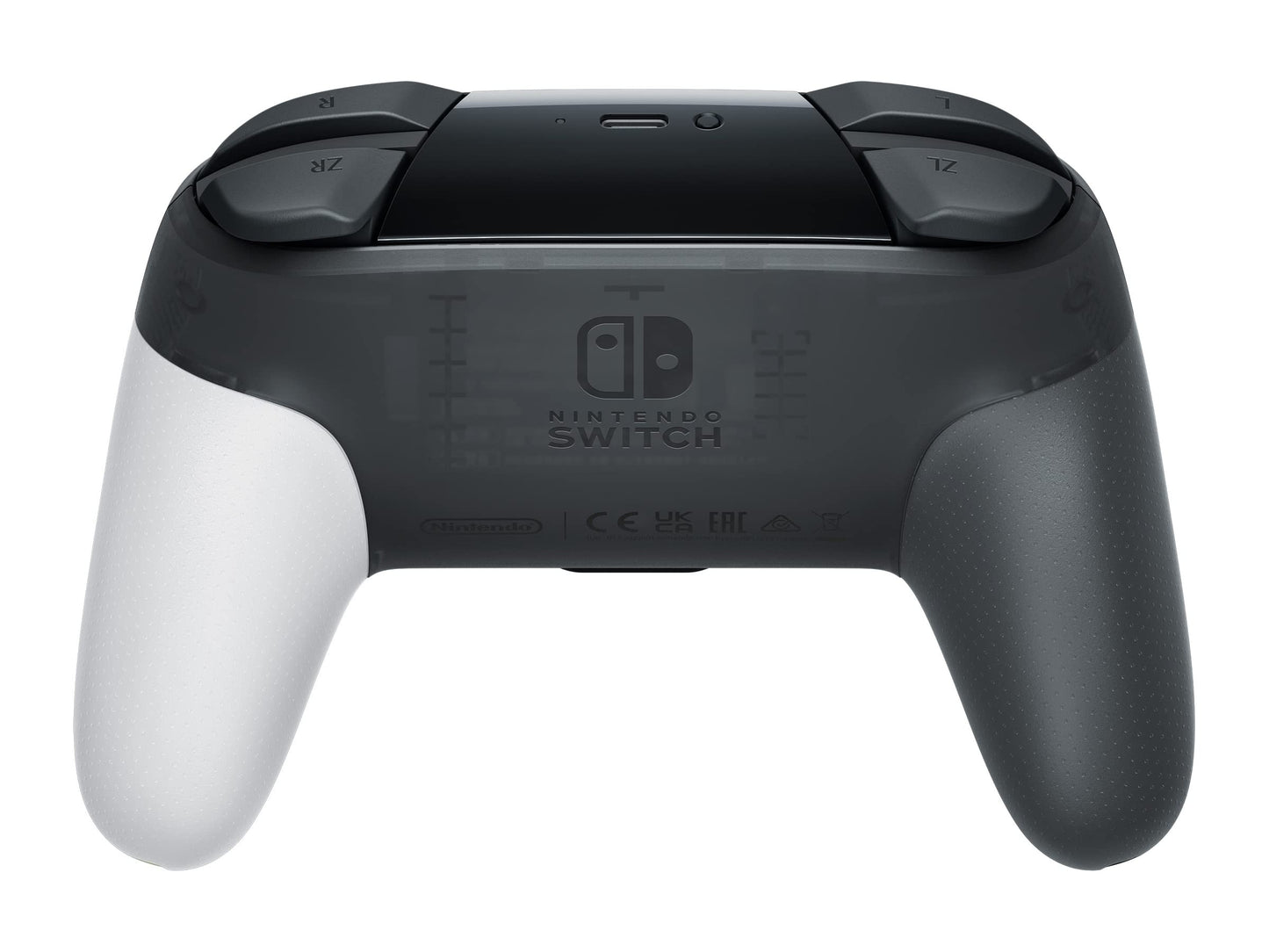
Nintendo Switch Pro Controller - Zelda: Tears of the Kingdom Edition (Renewed) - Multicolor
Nintendo Switch Pro Controller - Zelda: Tears of the Kingdom Edition (Renewed) - Multicolor
Out of stock
Couldn't load pickup availability
Guarantee safe checkout

Sold by Gamex24, an authorized reseller.
Returns accepted within 30 days | support@gamex24.com
Shipping Information
- Free Standard Shipping — United States only
- Processing Time: 1–3 business days
- Estimated Delivery: 3–5 business days after dispatch
- Securely packed to ensure your purchase arrives in perfect condition
- Tracking number sent via email once dispatched
- Orders over $250 require signature upon delivery. Taxes calculated at checkout.
Returns & Refund
Returns accepted within 30 days of delivery.
Damaged or Defective Item
Free return shipping + replacement or full refund
Wrong Item Received
Free return shipping + replacement or full refund
Change of Mind
Return shipping at customer's expense · Item must be unused & in original packaging
Safety & Compliance
California Proposition 65 Warning
Some products sold on this website may expose you to chemicals known to the State of California to cause cancer, birth defects, or other reproductive harm.
www.P65Warnings.ca.govGeneral Product Safety Advisory
Always read the product label, instructions, and safety warnings before use. Do not use damaged or modified products. Store products in appropriate conditions as specified by the manufacturer.
Keep all products out of reach of children unless specifically designed for their use.
Product Authenticity & Notice
All products sold by Gamex24 are 100% authentic, sourced directly from authorized brand distributors. Product colors and dimensions may vary slightly from images due to screen calibration and manufacturing tolerances.
Gamex24 — Play. Compete. Repeat.


Description
Frequently Asked Questions
- Q: What are the dimensions of the Nintendo Switch Pro Controller? A: The Nintendo Switch Pro Controller measures six point fourteen inches in length, five point sixty-seven inches in width, and two point fifty-two inches in height.
- Q: What colors does the Nintendo Switch Pro Controller come in? A: The controller features a vibrant multicolor design, showcasing iconic imagery from the Legend of Zelda: Tears of the Kingdom.
- Q: Is the Nintendo Switch Pro Controller compatible with other consoles? A: No, the Nintendo Switch Pro Controller is specifically designed for use with the Nintendo Switch console.
- Q: How do I use the Nintendo Switch Pro Controller? A: To use the controller, connect it to your Nintendo Switch console via Bluetooth and follow the on-screen prompts to pair.
- Q: Can I use this controller for other games apart from Zelda? A: Yes, the controller is compatible with any game that supports Nintendo Switch controllers, not just Zelda.
- Q: Is the Nintendo Switch Pro Controller suitable for beginners? A: Yes, this controller is suitable for both beginners and experienced gamers, providing an ergonomic design for comfortable gameplay.
- Q: How do I clean the Nintendo Switch Pro Controller? A: To clean the controller, use a soft, dry cloth to wipe the surface, and avoid using water or cleaning solutions directly on it.
- Q: What is the warranty period for the Nintendo Switch Pro Controller? A: The product comes with a ninety-day limited warranty, ensuring peace of mind with your purchase.
- Q: How do I charge the Nintendo Switch Pro Controller? A: The controller is powered by a rechargeable battery and can be charged using the USB cable provided, connected to the Nintendo Switch dock.
- Q: What if my Nintendo Switch Pro Controller arrives damaged? A: If the controller arrives damaged, you can reach out to customer support for assistance, including return options under the warranty.
- Q: Can I return the Nintendo Switch Pro Controller if I'm not satisfied? A: Yes, there is a return policy in place, allowing you to return the controller if it does not meet your expectations.
- Q: Does the controller have any special features? A: Yes, the Nintendo Switch Pro Controller includes a rumble feature that provides tactile feedback during gameplay for an enhanced experience.
- Q: Is the Nintendo Switch Pro Controller suitable for kids? A: Yes, the controller is designed for all age groups and is suitable for kids as long as they are supervised during play.
- Q: How long does the battery last on the Nintendo Switch Pro Controller? A: The battery life varies based on usage, but it can provide several hours of gameplay on a full charge.
- Q: Does the controller come with any additional accessories? A: The Nintendo Switch Pro Controller typically comes with a USB charging cable but does not include additional accessories.
- Q: What type of games is the Nintendo Switch Pro Controller best for? A: The controller is ideal for action, adventure, and multiplayer games, enhancing the gaming experience with its ergonomic design.