

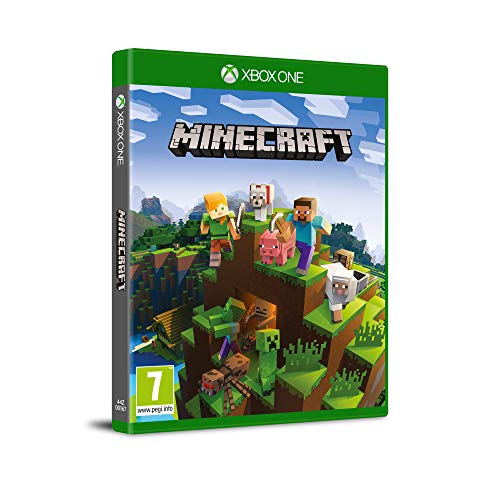
Mojang Minecraft - Xbox One Game for Adventure and Creativity
Mojang Minecraft - Xbox One Game for Adventure and Creativity
Low stock: 10 left
Couldn't load pickup availability
Guarantee safe checkout

Sold by Gamex24, an authorized reseller.
Returns accepted within 30 days | support@gamex24.com
Shipping Information
- Free Standard Shipping — United States only
- Processing Time: 1–3 business days
- Estimated Delivery: 3–5 business days after dispatch
- Securely packed to ensure your purchase arrives in perfect condition
- Tracking number sent via email once dispatched
- Orders over $250 require signature upon delivery. Taxes calculated at checkout.
Returns & Refund
Returns accepted within 30 days of delivery.
Damaged or Defective Item
Free return shipping + replacement or full refund
Wrong Item Received
Free return shipping + replacement or full refund
Change of Mind
Return shipping at customer's expense · Item must be unused & in original packaging
Safety & Compliance
California Proposition 65 Warning
Some products sold on this website may expose you to chemicals known to the State of California to cause cancer, birth defects, or other reproductive harm.
www.P65Warnings.ca.govGeneral Product Safety Advisory
Always read the product label, instructions, and safety warnings before use. Do not use damaged or modified products. Store products in appropriate conditions as specified by the manufacturer.
Keep all products out of reach of children unless specifically designed for their use.
Product Authenticity & Notice
All products sold by Gamex24 are 100% authentic, sourced directly from authorized brand distributors. Product colors and dimensions may vary slightly from images due to screen calibration and manufacturing tolerances.
Gamex24 — Play. Compete. Repeat.
Description
Frequently Asked Questions
- Q: What platform is Minecraft - Xbox One available on? A: Minecraft - Xbox One is available exclusively on the Xbox One console. This game allows players to explore, build, and create in a blocky, open-world environment.
- Q: What is the genre of Minecraft - Xbox One? A: Minecraft - Xbox One falls under the sandbox and survival game genres. It encourages creativity and exploration in a vast, procedurally generated world.
- Q: Is Minecraft - Xbox One suitable for all ages? A: Yes, Minecraft - Xbox One is suitable for all ages. The game promotes creativity and teamwork, making it a friendly option for families and younger players.
- Q: How many players can join a Minecraft game on Xbox One? A: Up to eight players can join a game on Minecraft - Xbox One in online multiplayer mode. This feature allows friends to collaborate and build together.
- Q: What are the gameplay modes available in Minecraft - Xbox One? A: Minecraft - Xbox One offers several gameplay modes including Survival, Creative, Adventure, and Spectator modes. Each mode provides a unique way to experience the game.
- Q: How do you start playing Minecraft - Xbox One? A: To start playing Minecraft - Xbox One, simply select the game from the console menu and create or join a game. You can choose your preferred mode and settings.
- Q: Can I play Minecraft - Xbox One offline? A: Yes, you can play Minecraft - Xbox One offline. The game allows players to create worlds and play without an internet connection.
- Q: What types of activities can I do in Minecraft - Xbox One? A: In Minecraft - Xbox One, you can build structures, mine resources, craft items, and explore various landscapes. The game also includes combat against mobs and other players.
- Q: Is there a storyline in Minecraft - Xbox One? A: No, Minecraft - Xbox One does not have a fixed storyline. Players create their own adventures and goals within the game's sandbox environment.
- Q: How do I keep Minecraft - Xbox One updated? A: Minecraft - Xbox One updates automatically if your console is connected to the internet. You can also check for updates manually in the game settings.
- Q: What safety features are included in Minecraft - Xbox One? A: Minecraft - Xbox One includes parental controls that allow parents to manage online interactions and screen time for younger players. It's important to set these features based on your preferences.
- Q: Can I save my progress in Minecraft - Xbox One? A: Yes, Minecraft - Xbox One allows you to save your progress automatically after each session. You can also manually save your game at any time.
- Q: What should I do if my Minecraft - Xbox One game crashes? A: If your game crashes, restart the Xbox One console and relaunch Minecraft. Ensure that your game is updated to the latest version to avoid bugs.
- Q: Is there customer support for Minecraft - Xbox One? A: Yes, customer support is available for Minecraft - Xbox One through the Mojang website. You can find FAQs, troubleshooting tips, and contact options.
- Q: Can I transfer my Minecraft - Xbox One worlds to another console? A: Yes, you can transfer your Minecraft - Xbox One worlds to another Xbox console using the cloud save feature. Ensure you’re signed into the same Xbox Live account.