


Microsoft Visio 2019 Standard for Windows 10 - Box Pack - 1 PC - Medialess - Model D86-05829
Microsoft Visio 2019 Standard for Windows 10 - Box Pack - 1 PC - Medialess - Model D86-05829
Out of stock
Couldn't load pickup availability
Guarantee safe checkout

Sold by Gamex24, an authorized reseller.
Returns accepted within 30 days | support@gamex24.com
Shipping Information
- Free Standard Shipping — United States only
- Processing Time: 1–3 business days
- Estimated Delivery: 3–5 business days after dispatch
- Securely packed to ensure your purchase arrives in perfect condition
- Tracking number sent via email once dispatched
- Orders over $250 require signature upon delivery. Taxes calculated at checkout.
Returns & Refund
Returns accepted within 30 days of delivery.
Damaged or Defective Item
Free return shipping + replacement or full refund
Wrong Item Received
Free return shipping + replacement or full refund
Change of Mind
Return shipping at customer's expense · Item must be unused & in original packaging
Safety & Compliance
California Proposition 65 Warning
Some products sold on this website may expose you to chemicals known to the State of California to cause cancer, birth defects, or other reproductive harm.
www.P65Warnings.ca.govGeneral Product Safety Advisory
Always read the product label, instructions, and safety warnings before use. Do not use damaged or modified products. Store products in appropriate conditions as specified by the manufacturer.
Keep all products out of reach of children unless specifically designed for their use.
Product Authenticity & Notice
All products sold by Gamex24 are 100% authentic, sourced directly from authorized brand distributors. Product colors and dimensions may vary slightly from images due to screen calibration and manufacturing tolerances.
Gamex24 — Play. Compete. Repeat.

Description
Frequently Asked Questions
- Q: What are the dimensions of Microsoft Visio 2019 Standard? A: The dimensions are five point nine one inches by four point four nine inches by one point five inches. This compact size makes it easy to store.
- Q: What is the packaging type of Microsoft Visio 2019 Standard? A: It comes in a box pack format but is medialess. This means it does not include physical media like DVDs.
- Q: Is there a manual included with Microsoft Visio 2019 Standard? A: Yes, there is a manual included for guidance. It helps users navigate the software effectively.
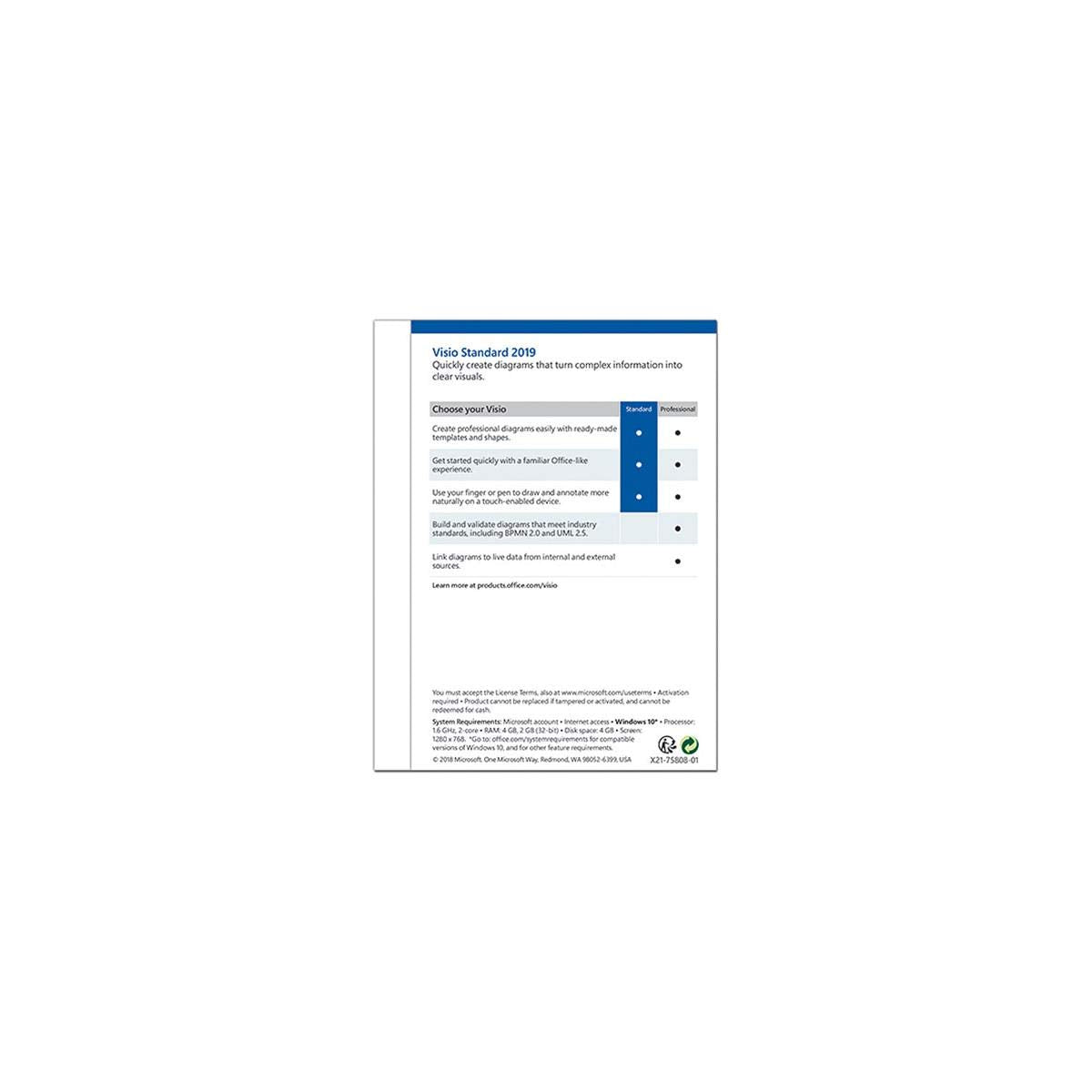
- Q: How do I create diagrams with Microsoft Visio 2019 Standard? A: You can create diagrams by using ready-made templates and shapes provided within the software. It's designed for ease of use.
- Q: Can I use touch gestures with Microsoft Visio 2019 Standard? A: Yes, you can use your finger or pen to draw and make notes on touch-enabled devices. This feature enhances user experience.
- Q: Is Microsoft Visio 2019 Standard suitable for beginners? A: Yes, it is suitable for beginners. The familiar office-like experience helps new users get started quickly.
- Q: How do I manage my diagrams in Microsoft Visio 2019 Standard? A: You can easily change shapes in existing diagrams without losing layout or connections. This feature allows for flexibility in design.
- Q: What types of visualizations can I create with Microsoft Visio 2019 Standard? A: You can create database visualizations using the built-in database model diagrams. This is beneficial for data representation.
- Q: What is the best way to store Microsoft Visio 2019 Standard? A: Store it in a cool, dry place away from direct sunlight. Keeping it in its original packaging will help protect it.
- Q: How do I clean my Microsoft Visio 2019 Standard box pack? A: Wipe the exterior with a soft, dry cloth. Avoid using liquids as they can damage the box and contents.
- Q: Is Microsoft Visio 2019 Standard safe for children? A: Yes, it is generally safe for children to use under supervision. However, check specific content suitability for their age.
- Q: Can I return Microsoft Visio 2019 Standard if I don't like it? A: Yes, you can return it according to the retailer's return policy. Make sure to keep the packaging intact for a smoother return.
- Q: What should I do if Microsoft Visio 2019 Standard arrives damaged? A: Report the damage to the retailer immediately. Most retailers have a policy for replacements or refunds in such cases.
- Q: Does Microsoft Visio 2019 Standard require an internet connection? A: No, it does not require an internet connection for basic functionality. However, some features may benefit from online access.
- Q: What support options are available for Microsoft Visio 2019 Standard? A: You can access online help documentation and forums for support. Microsoft also provides customer service for technical issues.