


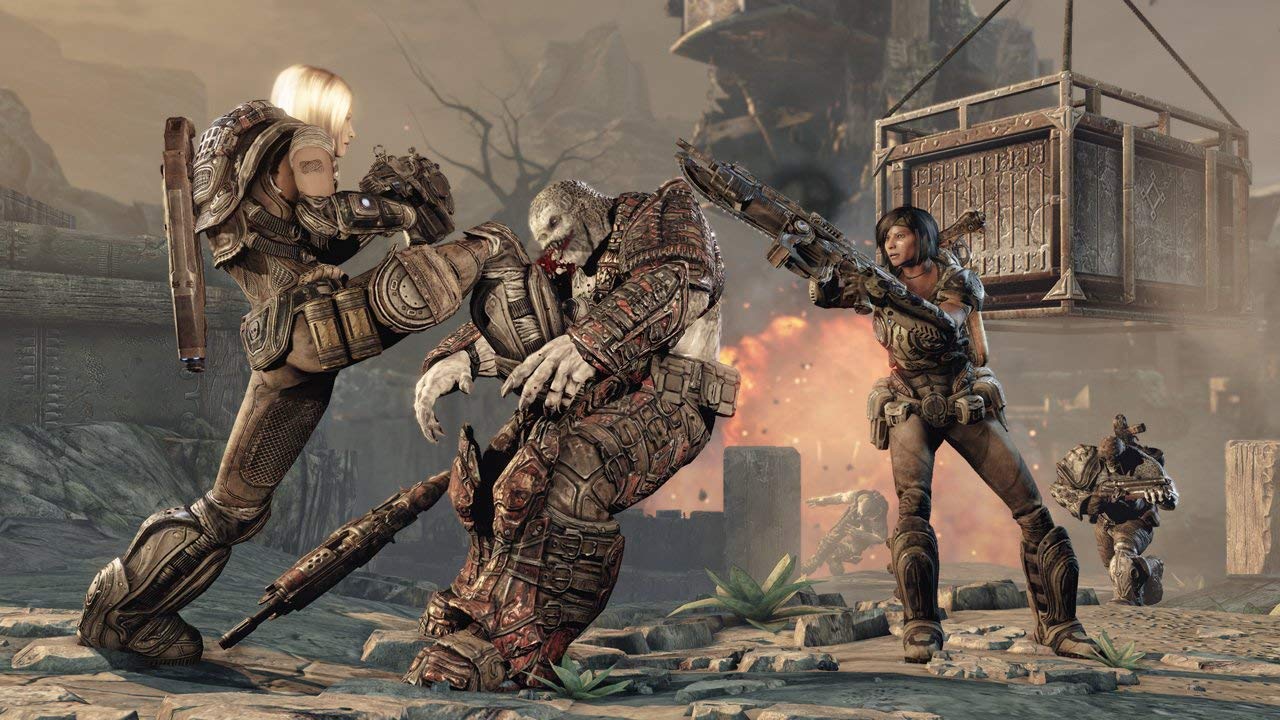
Microsoft Gears of War 3 (Renewed) - Classic Action Game for Xbox 360
Microsoft Gears of War 3 (Renewed) - Classic Action Game for Xbox 360
Low stock: 10 left
Couldn't load pickup availability
Guarantee safe checkout

Sold by Gamex24, an authorized reseller.
Returns accepted within 30 days | support@gamex24.com
Shipping Information
- Free Standard Shipping — United States only
- Processing Time: 1–3 business days
- Estimated Delivery: 3–5 business days after dispatch
- Securely packed to ensure your purchase arrives in perfect condition
- Tracking number sent via email once dispatched
- Orders over $250 require signature upon delivery. Taxes calculated at checkout.
Returns & Refund
Returns accepted within 30 days of delivery.
Damaged or Defective Item
Free return shipping + replacement or full refund
Wrong Item Received
Free return shipping + replacement or full refund
Change of Mind
Return shipping at customer's expense · Item must be unused & in original packaging
Safety & Compliance
California Proposition 65 Warning
Some products sold on this website may expose you to chemicals known to the State of California to cause cancer, birth defects, or other reproductive harm.
www.P65Warnings.ca.govGeneral Product Safety Advisory
Always read the product label, instructions, and safety warnings before use. Do not use damaged or modified products. Store products in appropriate conditions as specified by the manufacturer.
Keep all products out of reach of children unless specifically designed for their use.
Product Authenticity & Notice
All products sold by Gamex24 are 100% authentic, sourced directly from authorized brand distributors. Product colors and dimensions may vary slightly from images due to screen calibration and manufacturing tolerances.
Gamex24 — Play. Compete. Repeat.


Description
Frequently Asked Questions
- Q: What is the size of Gears of War 3? A: The dimensions of Gears of War 3 are seven point five six inches in length, five point three one inches in width, and zero point five five inches in height.
- Q: What is the binding type of Gears of War 3? A: Gears of War 3 is a DVD-ROM, which means it comes on a compact disc format suitable for Xbox 360.
- Q: What is the condition of Gears of War 3? A: Gears of War 3 is renewed, meaning it has been cleaned, tested, and shows minimal wear.
- Q: How do I play Gears of War 3? A: To play Gears of War 3, insert the disc into an Xbox 360 console and follow the on-screen instructions to start the game.
- Q: Is Gears of War 3 suitable for beginners? A: Yes, Gears of War 3 can be suitable for beginners as it offers a campaign mode with difficulty settings that cater to new players.
- Q: Are there any additional materials included with Gears of War 3? A: No, Gears of War 3 is disc only; the original case and manual are not included but it comes packaged in a generic case.
- Q: How should I store Gears of War 3? A: To keep Gears of War 3 in good condition, store it in a cool, dry place and always keep the disc in its case when not in use.
- Q: Can I clean the Gears of War 3 disc? A: Yes, you can clean the Gears of War 3 disc by gently wiping it with a soft, lint-free cloth, moving from the center to the outer edge.
- Q: What if Gears of War 3 arrives damaged? A: If Gears of War 3 arrives damaged, you should contact the seller for assistance with a return or replacement.
- Q: Is Gears of War 3 appropriate for children? A: Gears of War 3 is rated M for Mature, which means it may contain content not suitable for those under seventeen.
- Q: How does Gears of War 3 compare to other games in the series? A: Gears of War 3 is known for its enhanced graphics, refined gameplay mechanics, and a more compelling storyline compared to previous entries in the series.
- Q: What types of gameplay can I expect in Gears of War 3? A: Gears of War 3 offers both single-player campaign and multiplayer modes, including cooperative play and competitive matches.
- Q: Does Gears of War 3 support online multiplayer? A: Yes, Gears of War 3 supports online multiplayer, enabling players to compete or cooperate with others via Xbox Live.
- Q: Can Gears of War 3 be played on Xbox One? A: Yes, Gears of War 3 is backward compatible and can be played on Xbox One consoles.
- Q: What should I do if I encounter a gaming issue with Gears of War 3? A: If you face gaming issues with Gears of War 3, check for updates and patches or consult the Xbox support website for troubleshooting tips.