

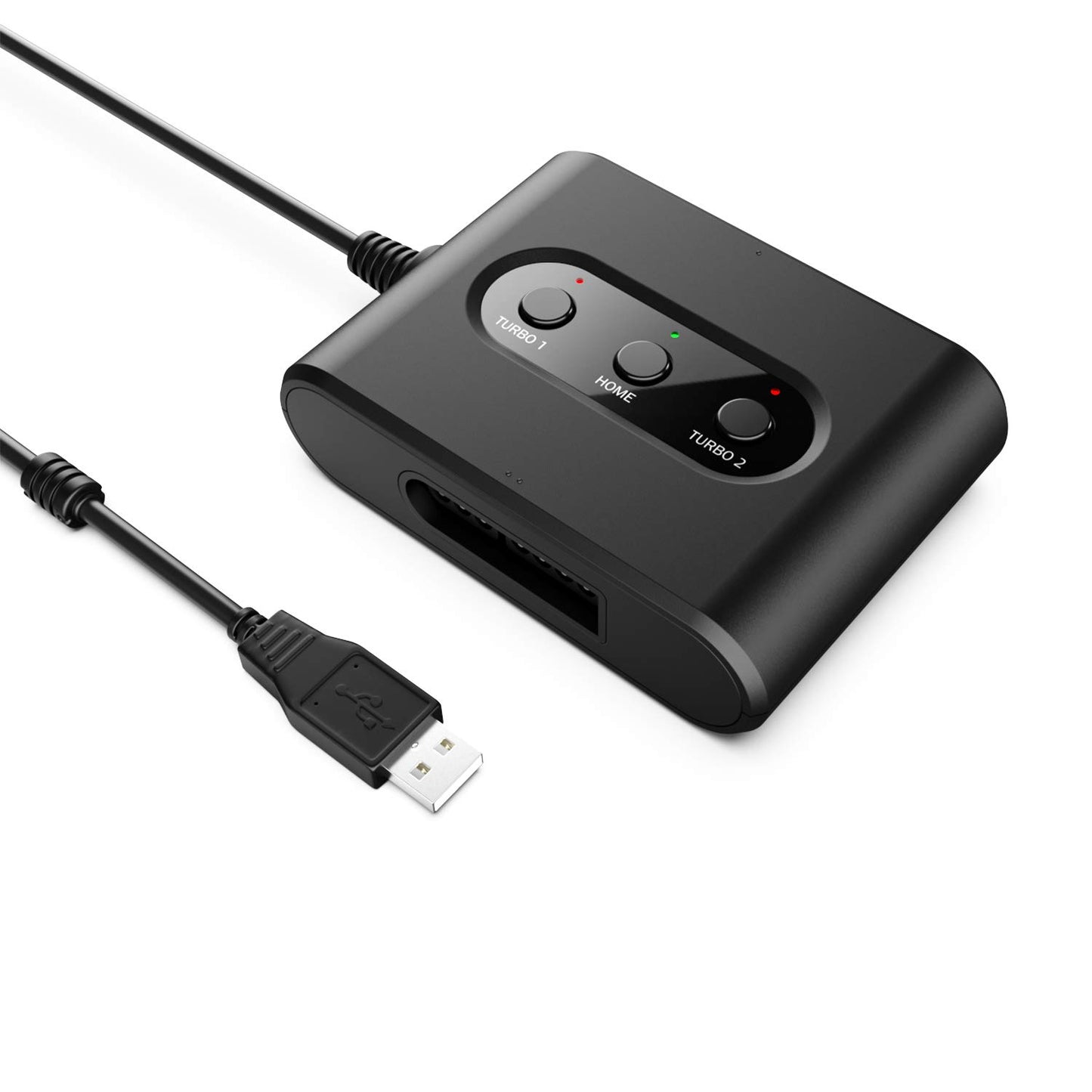
May Flash SNES Controller Adapter for Switch & PC - Model MF105, Black
May Flash SNES Controller Adapter for Switch & PC - Model MF105, Black
Low stock: 10 left
Couldn't load pickup availability
Guarantee safe checkout

Sold by Gamex24, an authorized reseller.
Returns accepted within 30 days | support@gamex24.com
Shipping Information
- Free Standard Shipping — United States only
- Processing Time: 1–3 business days
- Estimated Delivery: 3–5 business days after dispatch
- Securely packed to ensure your purchase arrives in perfect condition
- Tracking number sent via email once dispatched
- Orders over $250 require signature upon delivery. Taxes calculated at checkout.
Returns & Refund
Returns accepted within 30 days of delivery.
Damaged or Defective Item
Free return shipping + replacement or full refund
Wrong Item Received
Free return shipping + replacement or full refund
Change of Mind
Return shipping at customer's expense · Item must be unused & in original packaging
Safety & Compliance
California Proposition 65 Warning
Some products sold on this website may expose you to chemicals known to the State of California to cause cancer, birth defects, or other reproductive harm.
www.P65Warnings.ca.govGeneral Product Safety Advisory
Always read the product label, instructions, and safety warnings before use. Do not use damaged or modified products. Store products in appropriate conditions as specified by the manufacturer.
Keep all products out of reach of children unless specifically designed for their use.
Product Authenticity & Notice
All products sold by Gamex24 are 100% authentic, sourced directly from authorized brand distributors. Product colors and dimensions may vary slightly from images due to screen calibration and manufacturing tolerances.
Gamex24 — Play. Compete. Repeat.
Description
Frequently Asked Questions
- Q: What is the model number of the SNES Controller Adapter? A: The model number is uni-snes-mf105. This identifier helps to distinguish it from other similar products.
- Q: What color is the MAYFLASH SNES Controller Adapter? A: The adapter is black. This color is designed to blend in with most gaming setups.
- Q: What connections does the SNES Controller Adapter support? A: The adapter supports PC Xinput and Dinput. This compatibility allows it to work seamlessly with various gaming platforms.
- Q: How many controllers can I connect at once? A: You can connect up to two SNES Controllers at once. If you use two adapters, you can connect four controllers simultaneously.
- Q: Is the SNES Controller Adapter compatible with the Nintendo Switch? A: Yes, it is compatible with the Nintendo Switch and OLED Model. This allows for a classic gaming experience on modern consoles.
- Q: Can I use this adapter with my PC? A: Yes, the adapter works with PC Windows. It provides an easy way to connect SNES controllers for gaming.
- Q: How do I install the SNES Controller Adapter? A: To install, simply plug the adapter into the USB port of your Switch or PC. Then connect your SNES controllers to the adapter.
- Q: Does the adapter support Turbo or Auto Fire functions? A: Yes, it supports Turbo, Auto Fire, and Hold functions. This feature enhances gameplay by allowing rapid button presses.
- Q: Can I switch between the Left Stick and D-Pad? A: Yes, the adapter allows you to switch between the Left Stick and D-Pad. This flexibility adapts to different gaming preferences.
- Q: How do I care for the SNES Controller Adapter? A: To care for the adapter, keep it in a dry place and avoid exposing it to extreme temperatures. This helps maintain its functionality.
- Q: Is the SNES Controller Adapter safe for kids? A: Yes, the adapter is safe for kids. However, adult supervision is recommended during use to ensure proper handling.
- Q: What should I do if my adapter doesn't work? A: If it doesn't work, check the connections and ensure the controllers are properly plugged in. If issues persist, contact customer support.
- Q: Does the product come with a warranty? A: Yes, it usually comes with a manufacturer warranty. Check the packaging or product details for specific terms.
- Q: How do I return the SNES Controller Adapter if needed? A: To return the adapter, follow the retailer's return policy. Most require the original packaging and proof of purchase.
- Q: Can I use multiple adapters on the same system? A: Yes, you can use multiple adapters. Connecting two adapters allows for four controllers to be used simultaneously.
- Q: Is there a user manual included with the adapter? A: Yes, a user manual is included. It provides instructions on setup and features to help you get started.