


Marseille mClassic Retro Edition - Game Mode Image Enhancer for 4:3 Consoles - Green - Model MC9007-B - 1440p/60hz
Marseille mClassic Retro Edition - Game Mode Image Enhancer for 4:3 Consoles - Green - Model MC9007-B - 1440p/60hz
Low stock: 10 left
Couldn't load pickup availability
Guarantee safe checkout

Sold by Gamex24, an authorized reseller.
Returns accepted within 30 days | support@gamex24.com
Shipping Information
- Free Standard Shipping — United States only
- Processing Time: 1–3 business days
- Estimated Delivery: 3–5 business days after dispatch
- Securely packed to ensure your purchase arrives in perfect condition
- Tracking number sent via email once dispatched
- Orders over $250 require signature upon delivery. Taxes calculated at checkout.
Returns & Refund
Returns accepted within 30 days of delivery.
Damaged or Defective Item
Free return shipping + replacement or full refund
Wrong Item Received
Free return shipping + replacement or full refund
Change of Mind
Return shipping at customer's expense · Item must be unused & in original packaging
Safety & Compliance
California Proposition 65 Warning
Some products sold on this website may expose you to chemicals known to the State of California to cause cancer, birth defects, or other reproductive harm.
www.P65Warnings.ca.govGeneral Product Safety Advisory
Always read the product label, instructions, and safety warnings before use. Do not use damaged or modified products. Store products in appropriate conditions as specified by the manufacturer.
Keep all products out of reach of children unless specifically designed for their use.
Product Authenticity & Notice
All products sold by Gamex24 are 100% authentic, sourced directly from authorized brand distributors. Product colors and dimensions may vary slightly from images due to screen calibration and manufacturing tolerances.
Gamex24 — Play. Compete. Repeat.


Description
Frequently Asked Questions
- Q: What are the dimensions of the Marseille mClassic Retro Edition? A: The dimensions are two point seventeen inches long, one point fifty-seven inches wide, and zero point eighty-three inches high.
- Q: What is the model number of the mClassic Retro Edition? A: The model number is MC9007-B.
- Q: What color is the Marseille mClassic Retro Edition? A: The mClassic Retro Edition is green.
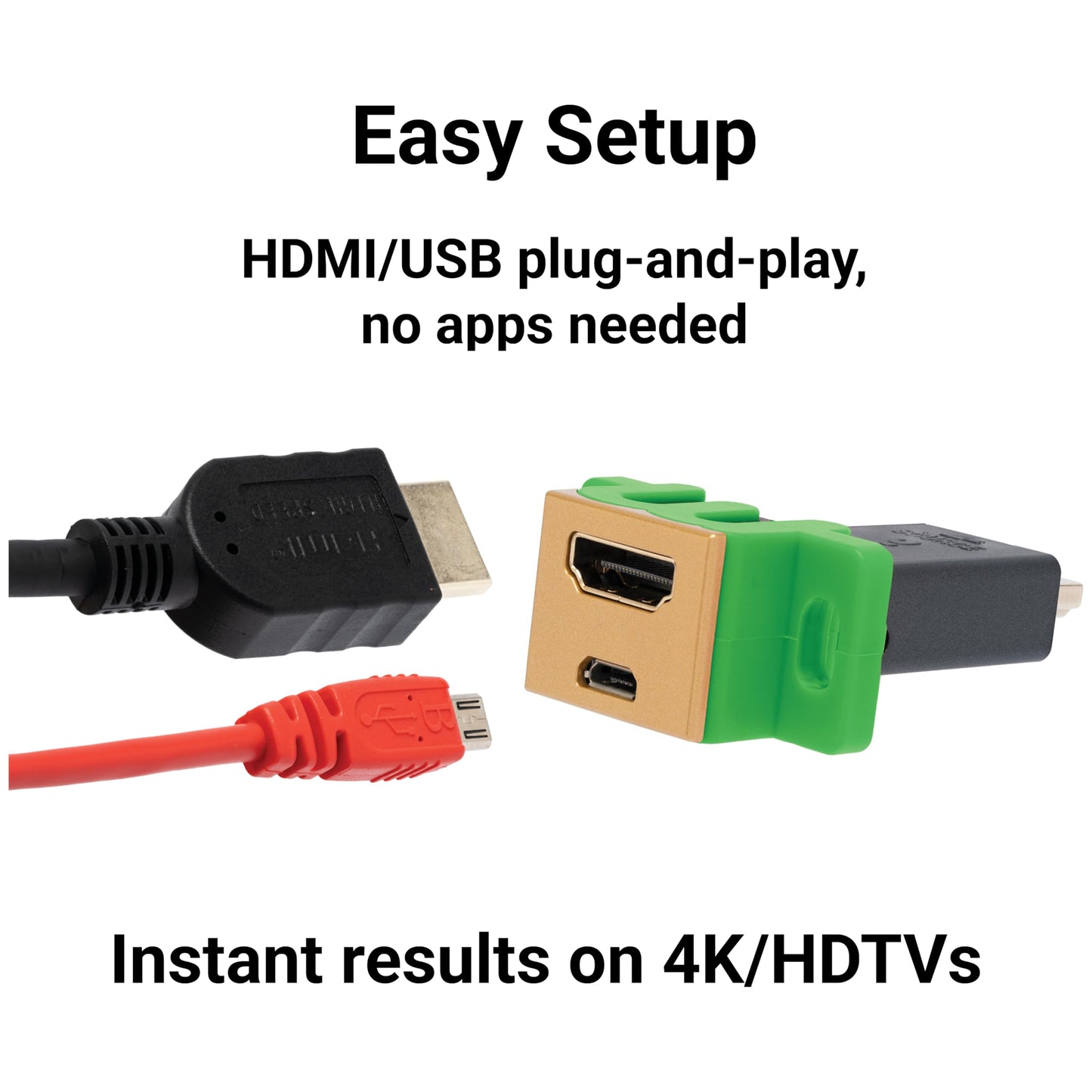
- Q: How do I connect the mClassic Retro Edition to my console? A: You simply plug it in between your game console and the HDMI input on your TV.
- Q: Is the mClassic Retro Edition compatible with all retro game consoles? A: No, it specifically supports consoles like Nintendo GameCube, Wii, PS1, PS2, and more.
- Q: What is the optimal setup for using the mClassic Retro Edition? A: You need to connect it with a third-party HDMI adapter, which is not included.
- Q: How should I care for the mClassic Retro Edition? A: Keep it in a dry place and avoid exposure to moisture to ensure longevity.
- Q: Is there any specific maintenance for the mClassic Retro Edition? A: No specific maintenance is required; just ensure it remains clean and dry.
- Q: Can I enhance the visuals of all retro games with the mClassic Retro Edition? A: Yes, it enhances visuals for older games in their native four by three aspect ratio.
- Q: What is the best mode to use for a clear image? A: The Retro Mode sharpens images and upscales them to fourteen hundred forty pixels at sixty hertz.
- Q: Does the mClassic Retro Edition reduce lag while gaming? A: Yes, it restores image quality without adding any additional lag.
- Q: How does the Vintage Mode affect image quality? A: It replicates original colors and lighting while reducing visual artifacts from modern displays.
- Q: What if the mClassic Retro Edition arrives damaged? A: You should contact customer support for assistance with returns or replacements.
- Q: Is there a warranty for the mClassic Retro Edition? A: Yes, it typically comes with a manufacturer's warranty; check the packaging for details.
- Q: Can I use the mClassic Retro Edition with a current-generation console? A: No, it is specifically designed for retro consoles, not current-generation systems.
- Q: What should I do if I have setup issues with the mClassic Retro Edition? A: Refer to the user manual for troubleshooting steps or contact customer support for help.