


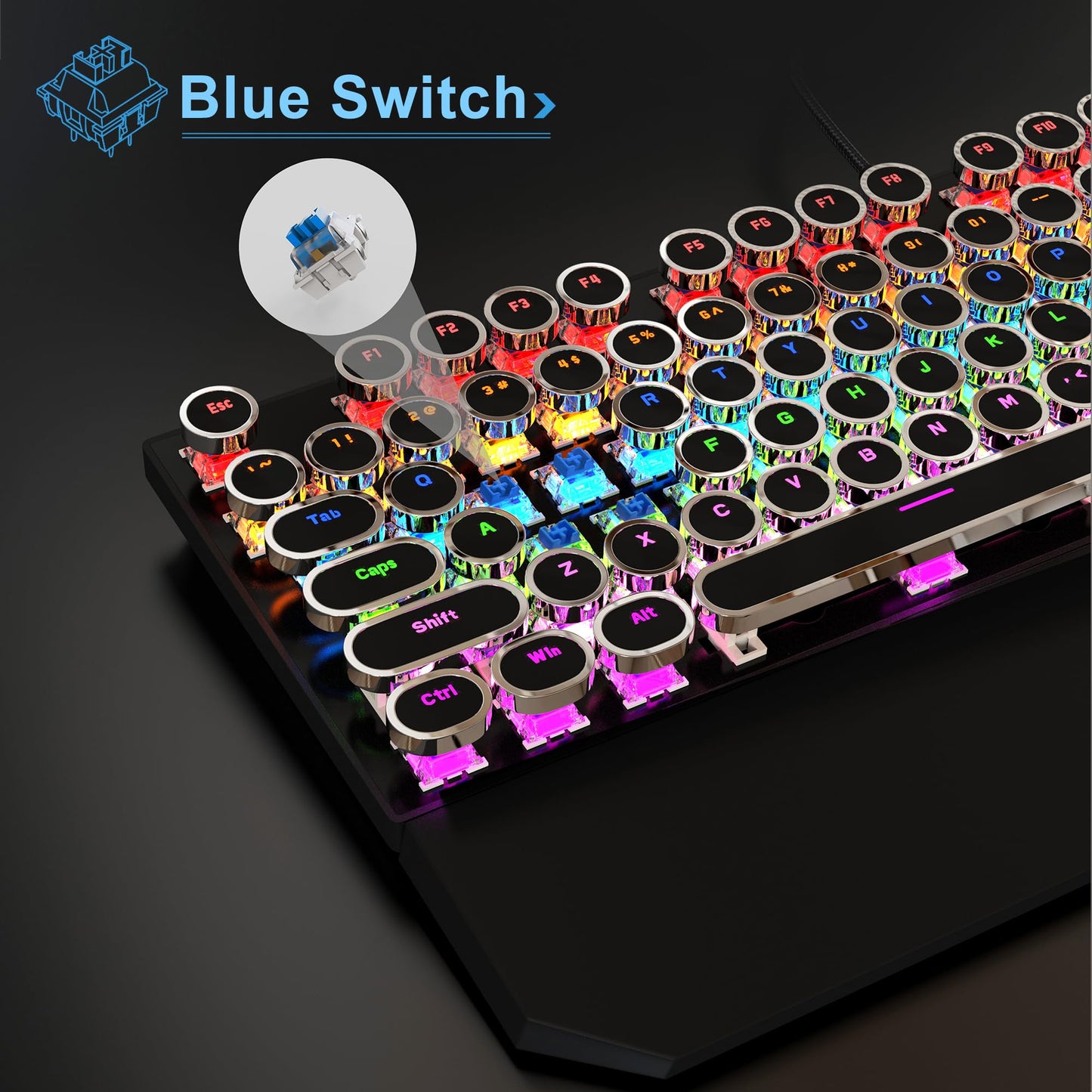
MageGee Typewriter Mechanical Gaming Keyboard, RGB Backlit, Blue Switches, Retro Round Keycaps, Black Finish for Windows, Laptop, PC, Mac
MageGee Typewriter Mechanical Gaming Keyboard, RGB Backlit, Blue Switches, Retro Round Keycaps, Black Finish for Windows, Laptop, PC, Mac
Regular price
$46.82
Regular price
$46.82
Sale price
$46.82
Low stock: 10 left
Quantity
Couldn't load pickup availability
Guarantee safe checkout

Shipping Information
Shipping Information
- Processing time : 1-3 days
- US Orders Ships in : 3-5 days
- International Orders Ships in : 8-12 days
- 15-days return on defective items
For more info go to Shipping Info page
Safety & Compliance
Safety & Compliance
⚠️ WARNING (California Proposition 65):
This product may contain chemicals known to the State of California to cause cancer, birth defects, or other reproductive harm.
For more information, please visit www.P65Warnings.ca.gov.


Description
Frequently Asked Questions
- Q: What type of switches does the MageGee Typewriter Mechanical Gaming Keyboard use? A: The MageGee Typewriter Mechanical Gaming Keyboard is equipped with blue switches, known for their tactile feedback and audible click, making them suitable for both gaming and typing.
- Q: Is the MageGee Typewriter Mechanical Gaming Keyboard compatible with Mac and Windows systems? A: Yes, the MageGee Typewriter Mechanical Gaming Keyboard is compatible with both Windows and Mac operating systems, allowing for versatile use across different devices.
- Q: What materials are used in the construction of this keyboard? A: The keyboard features an aluminum construction, providing durability and a premium feel while maintaining a retro aesthetic.
- Q: Does the keyboard have RGB lighting, and how can it be customized? A: Yes, the MageGee Typewriter Mechanical Gaming Keyboard comes with RGB rainbow backlighting. Users can typically customize the lighting settings through keyboard shortcuts or software, depending on the model.
- Q: What size is the MageGee Typewriter Mechanical Gaming Keyboard? A: The exact size specifications are not provided, but the keyboard is designed to be a standard layout suitable for most desk setups.
- Q: How do I clean the MageGee Typewriter Mechanical Gaming Keyboard? A: To clean the keyboard, unplug it and gently remove the keycaps using a keycap puller. Wipe the surface with a damp cloth and clean the keycaps separately. Ensure everything is completely dry before reassembling.
- Q: Is this keyboard suitable for gaming? A: Yes, the MageGee Typewriter Mechanical Gaming Keyboard is designed for gaming with features like mechanical switches for responsiveness and RGB lighting for an immersive experience.
- Q: Can I use this keyboard for typing as well as gaming? A: Absolutely, the keyboard's mechanical blue switches provide a tactile typing experience, making it great for both gaming and everyday typing tasks.
- Q: What is the weight of the keyboard? A: The specific weight of the keyboard is not detailed, but it is designed to be sturdy yet portable for users who may want to carry it.
- Q: Is there any warranty or customer support for the MageGee Typewriter Mechanical Gaming Keyboard? A: MageGee typically offers a warranty for their products, but specific details regarding warranty duration and customer support can be found on their official website or product documentation.