


MageGee Gaming Keyboard and Mouse Combo, RGB Backlit, 104 Keys, Wired, White/Blue
MageGee Gaming Keyboard and Mouse Combo, RGB Backlit, 104 Keys, Wired, White/Blue
Regular price
$35.43
Regular price
$35.43
Sale price
$35.43
Low stock: 10 left
Quantity
Couldn't load pickup availability
Guarantee safe checkout

Shipping Information
Shipping Information
- Processing time : 1-3 days
- US Orders Ships in : 3-5 days
- International Orders Ships in : 8-12 days
- 15-days return on defective items
For more info go to Shipping Info page
Safety & Compliance
Safety & Compliance
⚠️ WARNING (California Proposition 65):
This product may contain chemicals known to the State of California to cause cancer, birth defects, or other reproductive harm.
For more information, please visit www.P65Warnings.ca.gov.


Description
Frequently Asked Questions
- Q: What is included in the MageGee Gaming Keyboard and Mouse Combo? A: The MageGee Gaming Keyboard and Mouse Combo includes a full-size keyboard with 104 keys and a gaming mouse. Both devices feature RGB backlighting and are designed for compatibility with various operating systems.
- Q: Is the MageGee Gaming Keyboard suitable for gaming? A: Yes, the MageGee Gaming Keyboard is designed specifically for gaming with features like anti-ghosting for all keys, multimedia function keys, and customizable RGB backlighting to enhance the gaming experience.
- Q: What type of backlighting does the keyboard have? A: The keyboard features true RGB backlighting with six single color modes, adjustable brightness, and speed settings, allowing users to customize their lighting preferences.
- Q: Can the keyboard be used with Mac computers? A: Yes, the MageGee Gaming Keyboard is compatible with Mac computers, as well as various versions of Windows and Linux, making it versatile for different users.
- Q: Does the mouse have adjustable DPI settings? A: Yes, the gaming mouse offers adjustable DPI settings ranging from six hundred to three thousand two hundred, allowing users to select their preferred sensitivity for different gaming styles.
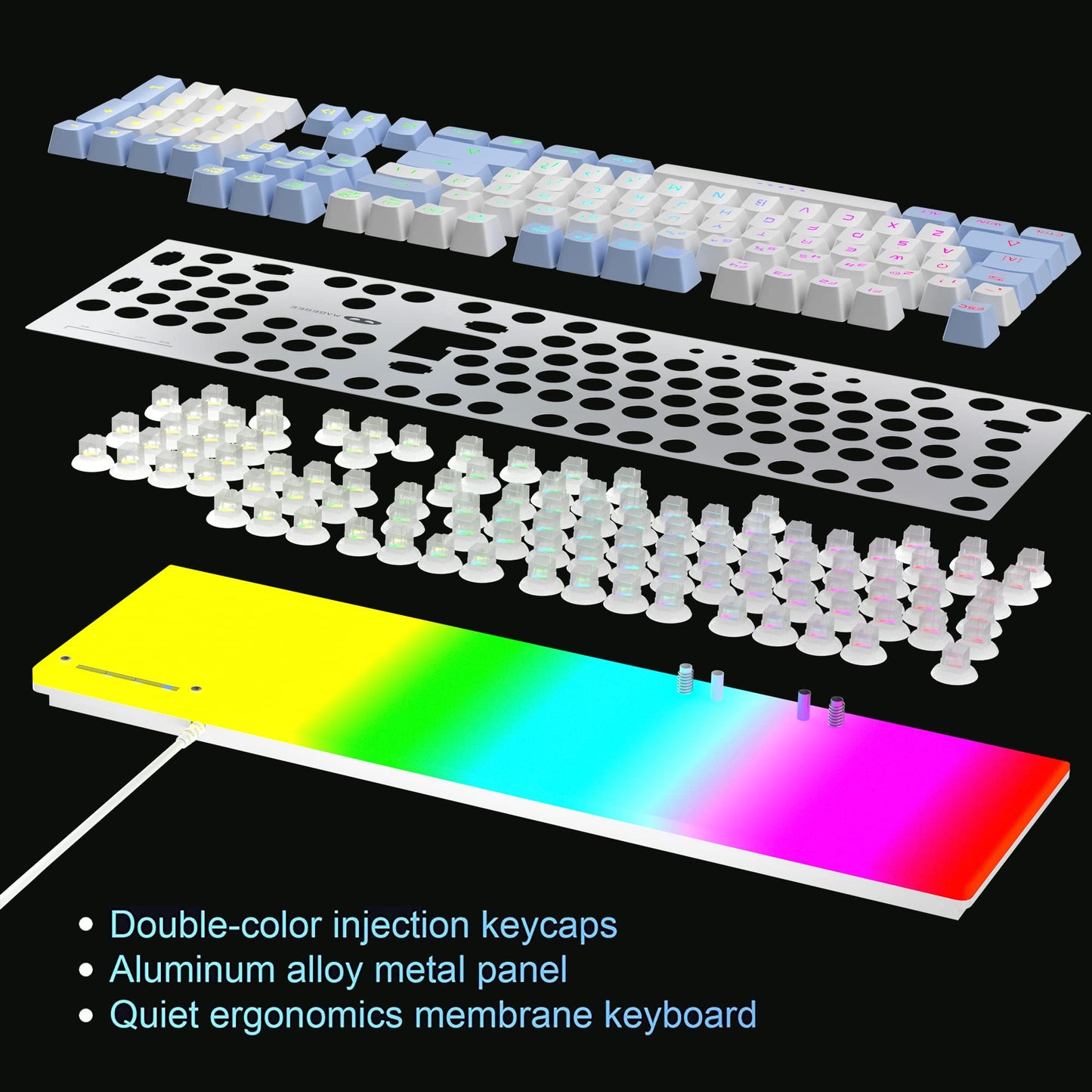
- Q: What materials are used in the construction of the keyboard? A: The keyboard is constructed with an aluminum alloy metal panel, providing durability and a scratch-proof, water-proof surface, while the keys are designed for quiet operation.
- Q: Is the keyboard easy to set up? A: Yes, the MageGee Gaming Keyboard and Mouse Combo features a plug-and-play design using a USB 2.0 connector, requiring no additional drivers or software for setup.
- Q: Are there any special features for multimedia control? A: Yes, the keyboard includes twelve multimedia function keys that allow for quick access to various media controls, enhancing user convenience while gaming or working.
- Q: What is the design of the keyboard in terms of ergonomics? A: The keyboard is ergonomically designed as a full-size layout, which includes a number pad and multimedia keys, aimed at providing comfort during extended use.
- Q: How does the mouse's breathing light function work? A: The mouse features a breathing light function that can be activated or deactivated by pressing the button for three seconds, allowing users to customize the visual effects during gameplay.