


Lenovo Augmented Reality Experience - Star Wars Jedi Challenges, Black, Model ZA390002US, Smartphone Powered, 1 Size
Lenovo Augmented Reality Experience - Star Wars Jedi Challenges, Black, Model ZA390002US, Smartphone Powered, 1 Size
Regular price
$164.56
Regular price
$164.56
Sale price
$164.56
Low stock: 10 left
Quantity
Couldn't load pickup availability
Guarantee safe checkout

Shipping Information
Shipping Information
- Processing time : 1-3 days
- US Orders Ships in : 3-5 days
- International Orders Ships in : 8-12 days
- 15-days return on defective items
For more info go to Shipping Info page
Safety & Compliance
Safety & Compliance
⚠️ WARNING (California Proposition 65):
This product may contain chemicals known to the State of California to cause cancer, birth defects, or other reproductive harm.
For more information, please visit www.P65Warnings.ca.gov.


Description
Frequently Asked Questions
- Q: What devices are compatible with Lenovo Star Wars: Jedi Challenges? A: Lenovo Star Wars: Jedi Challenges is compatible with select Android and iOS devices, including iPhone XS, iPhone X, iPhone 8 Plus, iPhone 8, iPhone 7 Plus, iPhone 7, iPhone 6s Plus, iPhone 6s, and Samsung Galaxy S9, S8, Galaxy S7 edge, Galaxy S7, Google Pixel XL, Moto Z2 Force, and others.
- Q: How does the augmented reality experience work? A: To use Lenovo Star Wars: Jedi Challenges, start the app, wear the Lenovo Mirage AR headset, and follow the on-screen instructions. The system uses a tracking beacon to provide an immersive augmented reality experience that blends digital elements with your physical environment.
- Q: Can I play with friends in Lightsaber Versus Mode? A: Yes, you can engage in local multiplayer battles in Lightsaber Versus Mode. Both players need to have a separate Star Wars: Jedi Challenges starter kit and the latest version of the mobile app. Players must be within approximately six feet of each other.
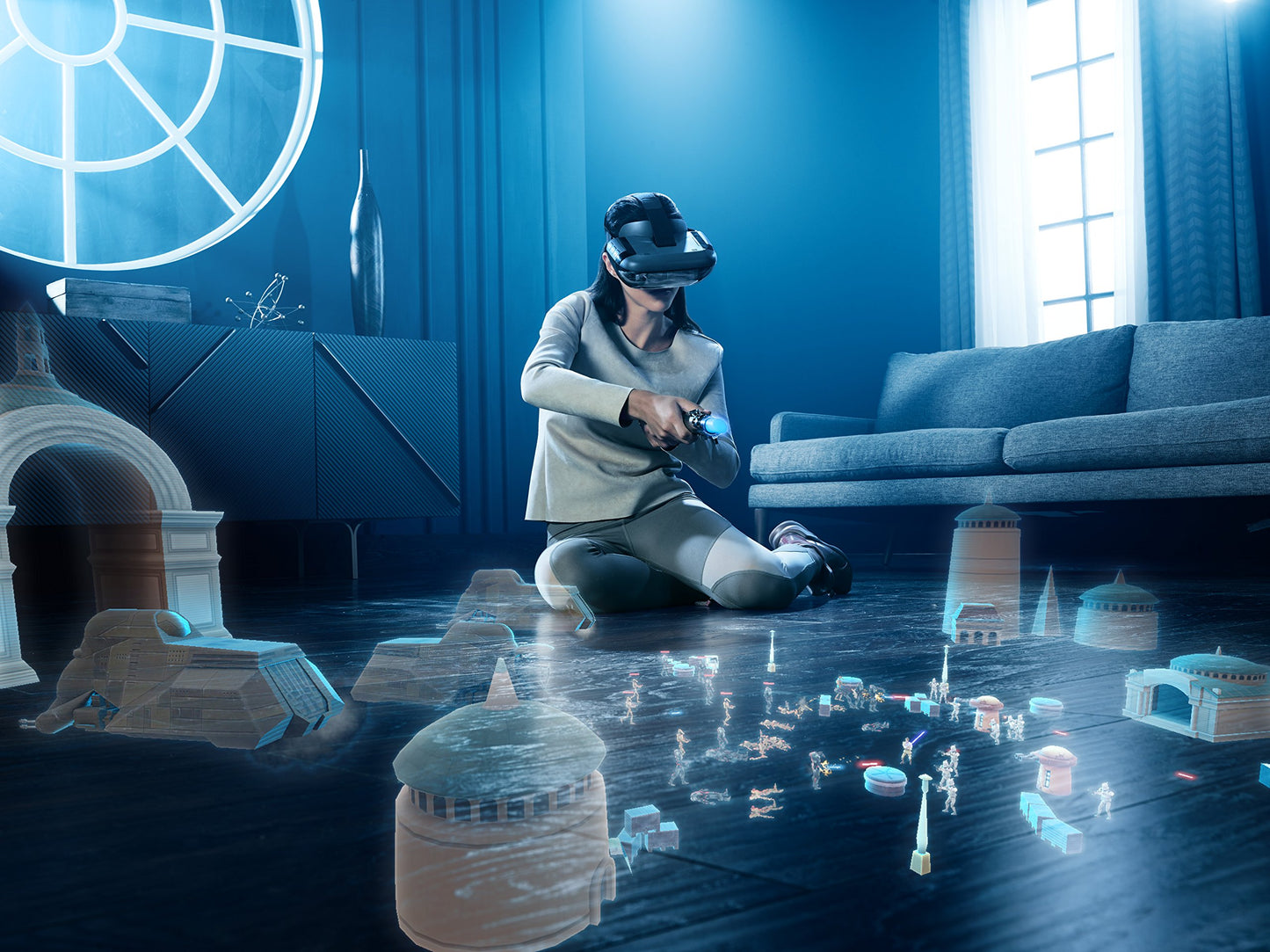
- Q: What experiences can I enjoy with this product? A: Lenovo Star Wars: Jedi Challenges offers three main experiences: Lightsaber Battles, where you fight iconic villains; Holochess, a strategy game; and Strategic Combat, where you command armies in large-scale battles.
- Q: What materials are used in the game gear? A: The game gear includes a Lightsaber Controller designed for realistic feedback and a Lenovo Mirage AR Headset made for comfort and immersive gameplay. The headset is ergonomically designed to enhance your experience.
- Q: Is there a recommended age for this game? A: While there is no official age rating, Lenovo Star Wars: Jedi Challenges is generally suitable for ages 12 and up due to the complexity of the gameplay and the physical nature of using the lightsaber controller.
- Q: How do I set up the Lenovo Mirage AR Headset? A: To set up the Lenovo Mirage AR Headset, ensure your smartphone is compatible, download the Star Wars: Jedi Challenges app, and follow the provided instructions for calibration and connection with the tracking beacon.
- Q: What are the different difficulty levels in the game? A: The game features varying levels of difficulty across different planets, allowing players to progress at their own pace while mastering combat skills and strategies.
- Q: How does the tracking beacon enhance gameplay? A: The tracking beacon ensures accurate tracking of your location and helps fill in your environment with digital elements, providing a seamless augmented reality experience.
- Q: What should I do if I experience technical issues? A: If you encounter technical issues, ensure your smartphone is compatible, check for app updates, and refer to the troubleshooting section in the user manual. If problems persist, contact Lenovo customer support for assistance.