


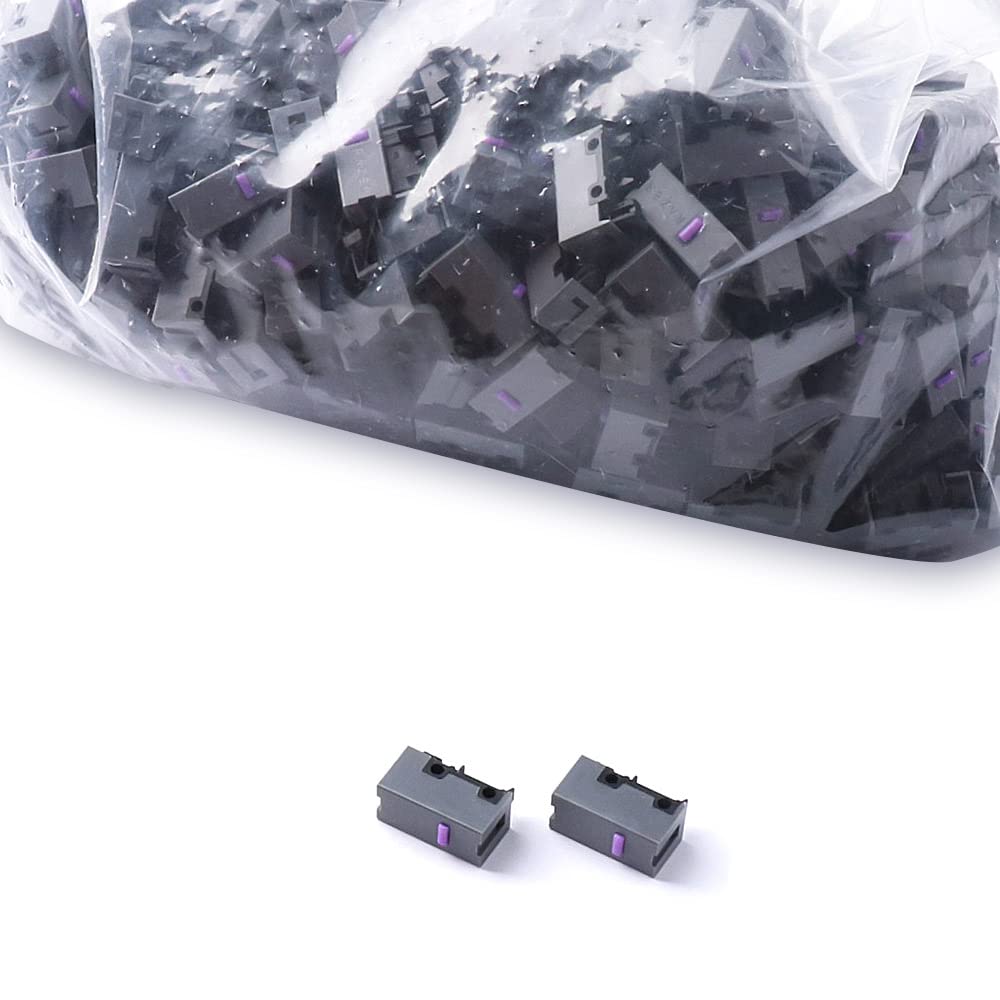
HUYUN Optical Mouse Switch Replacement for Razer Naga Pro & DeathAdder V2 - 2Pcs R2.0 Micro Switch, Model HY20211204
HUYUN Optical Mouse Switch Replacement for Razer Naga Pro & DeathAdder V2 - 2Pcs R2.0 Micro Switch, Model HY20211204
Out of stock
Couldn't load pickup availability
Guarantee safe checkout

Sold by Gamex24, an authorized reseller.
Returns accepted within 30 days | support@gamex24.com
Shipping Information
- Free Standard Shipping — United States only
- Processing Time: 1–3 business days
- Estimated Delivery: 3–5 business days after dispatch
- Securely packed to ensure your purchase arrives in perfect condition
- Tracking number sent via email once dispatched
- Orders over $250 require signature upon delivery. Taxes calculated at checkout.
Returns & Refund
Returns accepted within 30 days of delivery.
Damaged or Defective Item
Free return shipping + replacement or full refund
Wrong Item Received
Free return shipping + replacement or full refund
Change of Mind
Return shipping at customer's expense · Item must be unused & in original packaging
Safety & Compliance
California Proposition 65 Warning
Some products sold on this website may expose you to chemicals known to the State of California to cause cancer, birth defects, or other reproductive harm.
www.P65Warnings.ca.govGeneral Product Safety Advisory
Always read the product label, instructions, and safety warnings before use. Do not use damaged or modified products. Store products in appropriate conditions as specified by the manufacturer.
Keep all products out of reach of children unless specifically designed for their use.
Product Authenticity & Notice
All products sold by Gamex24 are 100% authentic, sourced directly from authorized brand distributors. Product colors and dimensions may vary slightly from images due to screen calibration and manufacturing tolerances.
Gamex24 — Play. Compete. Repeat.


Description
Frequently Asked Questions
- Q: What is the model number of the optical mouse switch? A: The model number is HY20211204. This identification helps in ensuring compatibility with various Razer gaming mice.
- Q: How durable is the optical mouse switch? A: The switch has a durability of up to seventy million clicks. This is forty percent more than the previous best, making it highly reliable for gaming.
- Q: What type of housing does the optical mouse switch have? A: It features a second-generation gray housing. This upgrade offers improved performance compared to the first-generation black housing.
- Q: How many optical mouse switches are included in the package? A: The package includes two optical mouse switches. This allows users to replace switches in multiple devices or keep a spare.
- Q: Is this optical mouse switch compatible with all Razer mice? A: No, it is only compatible with optical jog mice. If the mouse does not use optical jog technology, it cannot utilize this switch.
- Q: How do I install the optical mouse switch? A: To install the switch, you must open the mouse casing and replace the old switch with the new one. Ensure the mouse is powered off during the installation.
- Q: Can I use this switch in a non-optical mouse? A: No, this switch is specifically designed for optical mice only. Using it in a non-optical mouse will not work.
- Q: What should I do to maintain the optical mouse switch? A: Keep the mouse clean and free of dust. Regular maintenance helps prolong the life of the switch and ensures optimal performance.
- Q: Is it safe to use the optical switch in competitive gaming? A: Yes, it is designed for competitive gaming. Its high durability and responsiveness make it suitable for intense gaming sessions.
- Q: How does this switch compare to previous models? A: This switch offers increased durability and improved performance over previous models. It is an upgrade that enhances the overall gaming experience.
- Q: What is the warranty period for the optical mouse switch? A: The warranty period typically varies by retailer. Please check with the seller for specific warranty information.
- Q: What if my optical mouse switch arrives damaged? A: If the switch arrives damaged, contact the seller for a return or replacement. Most retailers have policies in place for such situations.
- Q: Are there any safety concerns with using this optical switch? A: No, there are no significant safety concerns with this switch. It meets standard safety requirements for electronic components.
- Q: Can I use this switch in a gaming mouse other than Razer? A: No, this switch is designed specifically for Razer gaming mice. Compatibility with other brands is not guaranteed.
- Q: What is the best way to store the optical mouse switch? A: Store the switch in a dry, cool place, away from direct sunlight. This helps prevent damage and ensures longevity.
- Q: Is there an instruction manual included with the switch? A: Typically, there are no detailed manuals included. Basic installation guidelines are usually provided on the packaging.