Skip to product information
1 of 1

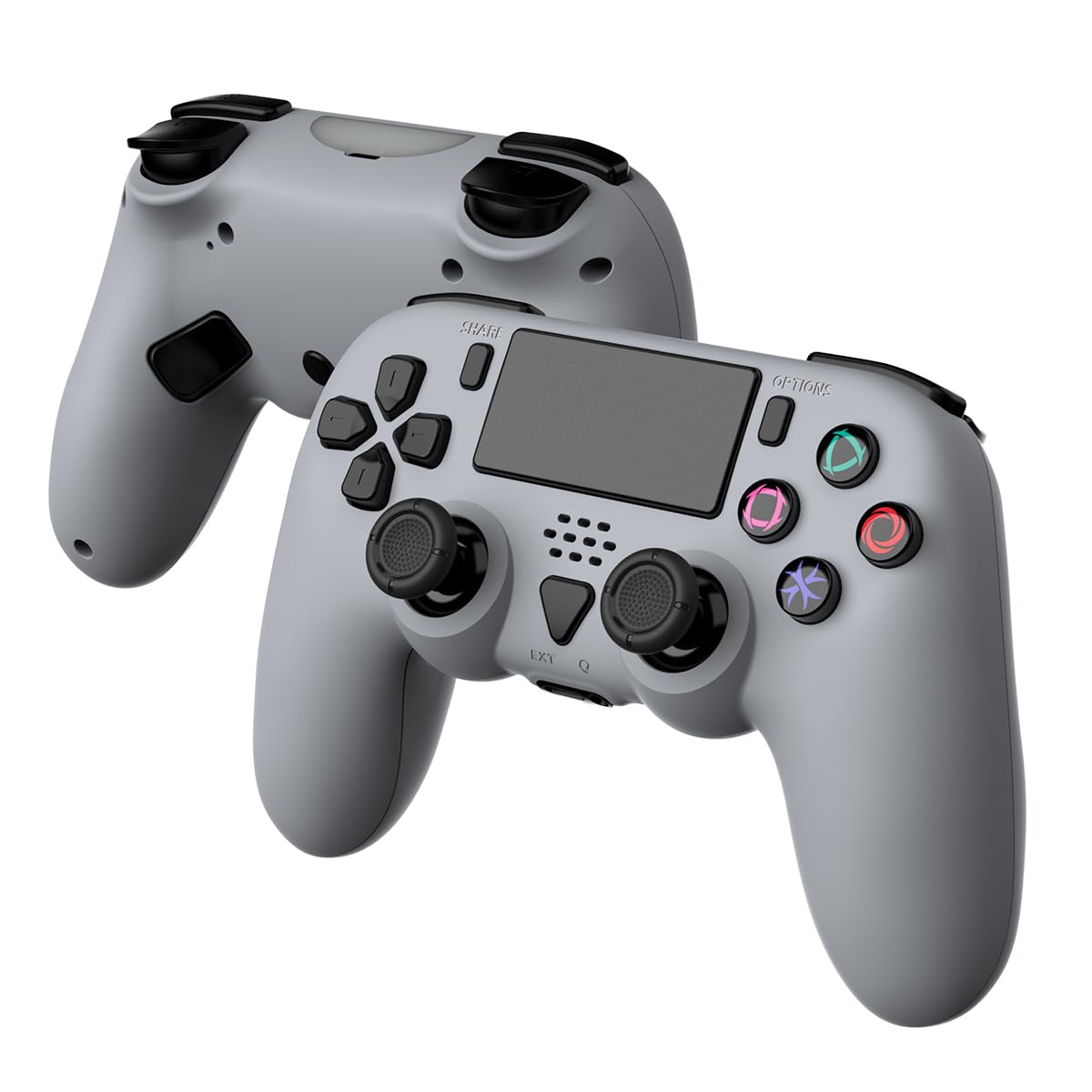
GAMFAMI Wireless Controller Compatible with PS5/PS5 Pro/PS5 Slim/PC - Wireless Controller with Built-in Advanced Back Buttons Pr

GAMFAMI Wireless Controller Compatible with PS5/PS5 Pro/PS5 Slim/PC - Wireless Controller with Built-in Advanced Back Buttons Pr

Regular price $72.14
Regular price $79.35 Sale price $72.14
Sale Sold out
Shipping calculated at checkout.
SKU: WBGMXB0DKKJ9TD7
UPC: 769036517530
Brand: GAMFAMI

Out of stock

Quantity

Guarantee safe checkout

Payment Methods - Visa, Mastercard, PayPal, etc.

Sold by Gamex24, an authorized reseller.

Returns accepted within 30 days  |  support@gamex24.com

✓ Verified
Shipping Information
  • Free Standard Shipping — United States only
  • Processing Time: 1–3 business days
  • Estimated Delivery: 3–5 business days after dispatch
  • Securely packed to ensure your purchase arrives in perfect condition
  • Tracking number sent via email once dispatched
  • Orders over $250 require signature upon delivery. Taxes calculated at checkout.
Returns & Refund

Returns accepted within 30 days of delivery.

Damaged or Defective Item

Free return shipping + replacement or full refund

Wrong Item Received

Free return shipping + replacement or full refund

Change of Mind

Return shipping at customer's expense · Item must be unused & in original packaging

All returns require a Return Authorization (RA) number before sending.

To initiate a return, contact us:

support@gamex24.com +1 832-402-9851
View Full Return & Refund Policy
Safety & Compliance
⚠️

California Proposition 65 Warning

Some products sold on this website may expose you to chemicals known to the State of California to cause cancer, birth defects, or other reproductive harm.

www.P65Warnings.ca.gov
🛒

General Product Safety Advisory

Always read the product label, instructions, and safety warnings before use. Do not use damaged or modified products. Store products in appropriate conditions as specified by the manufacturer.

Keep all products out of reach of children unless specifically designed for their use.

ℹ️

Product Authenticity & Notice

All products sold by Gamex24 are 100% authentic, sourced directly from authorized brand distributors. Product colors and dimensions may vary slightly from images due to screen calibration and manufacturing tolerances.

Gamex24 — Play. Compete. Repeat.
View full details

Description

Connect PS5 1. Wired connection: Connect the host power, turn on the host, and enter the normal standby interface; Please set the communication method in the following way to avoid disconnection of the controller caused by incorrect settings: Settings ? Accessories ? Controller (Universal) ? Connection Method ? Use USB Connection Cable; Insert the USB cable of the controller into the host and press the PS button (HOME button) on the controller to connect to the PS5 host. After successful connection, the blue light stays on. 2. Wireless connection: Please use a data cable to assist with the first connection. After successful connection, unplug the data cable; Press the PS key while the controller is asleep to reconnect. 3. The light bar at the front of the controller lights up, and pressing the function keys on the controller can control the game console, indicating that the controller is successfully connected. 4. In normal game operation, the controller will vibrate according to the game rules, and the controller uses a double-sided motor. 5. Video recording function: Double click the Share button to activate the screen recording function, and then double-click the Share button to stop it 6. Screenshot function: Long press the SHARE key to take a screenshot of the current interface. 7. Headphone and microphone function: Only supports wired mode use. If you need to use two controllers at the same time, please use the front and rear USB PORTs of the host separately. If used on the front or rear USB PORT at the same time, one of the controllers may have abnormal headphone function; 8. To use the microphone function in the game, you need to wear headphones with a microphone and plug them into the 3.5mm headphone jack on the controller. 9. Wireless mode does not support external speaker/headphone/microphone functions. Connect PC 1. Wired connection: When connected to a PC computer, it is plug and play. You can play games on PC/Steam that are compatible with this controller. 2. Wireless connection: When connecting to a PC computer, in wireless pairing mode, while the controller is in sleep mode, first press and hold the SHARE key, then press and hold the PS key for 3 seconds. The connection indicator light will flash intermittently to enter wireless pairing mode. On the PC end, turn on the Bluetooth connection and search for the Bluetooth name DualSense Wireless Controller to connect; You can play games on PC/Steam that are compatible with this controller. Press the PS key while the controller is asleep to reconnect.