


E E·O·N GCHD Mk-II HDMI Adapter for Nintendo Gamecube - Zero Lag, Plug & Play, Purple, Fits DOL-001, Model 432131
E E·O·N GCHD Mk-II HDMI Adapter for Nintendo Gamecube - Zero Lag, Plug & Play, Purple, Fits DOL-001, Model 432131
Out of stock
Couldn't load pickup availability
Guarantee safe checkout

Sold by Gamex24, an authorized reseller.
Returns accepted within 30 days | support@gamex24.com
Shipping Information
- Free Standard Shipping — United States only
- Processing Time: 1–3 business days
- Estimated Delivery: 3–5 business days after dispatch
- Securely packed to ensure your purchase arrives in perfect condition
- Tracking number sent via email once dispatched
- Orders over $250 require signature upon delivery. Taxes calculated at checkout.
Returns & Refund
Returns accepted within 30 days of delivery.
Damaged or Defective Item
Free return shipping + replacement or full refund
Wrong Item Received
Free return shipping + replacement or full refund
Change of Mind
Return shipping at customer's expense · Item must be unused & in original packaging
Safety & Compliance
California Proposition 65 Warning
Some products sold on this website may expose you to chemicals known to the State of California to cause cancer, birth defects, or other reproductive harm.
www.P65Warnings.ca.govGeneral Product Safety Advisory
Always read the product label, instructions, and safety warnings before use. Do not use damaged or modified products. Store products in appropriate conditions as specified by the manufacturer.
Keep all products out of reach of children unless specifically designed for their use.
Product Authenticity & Notice
All products sold by Gamex24 are 100% authentic, sourced directly from authorized brand distributors. Product colors and dimensions may vary slightly from images due to screen calibration and manufacturing tolerances.
Gamex24 — Play. Compete. Repeat.


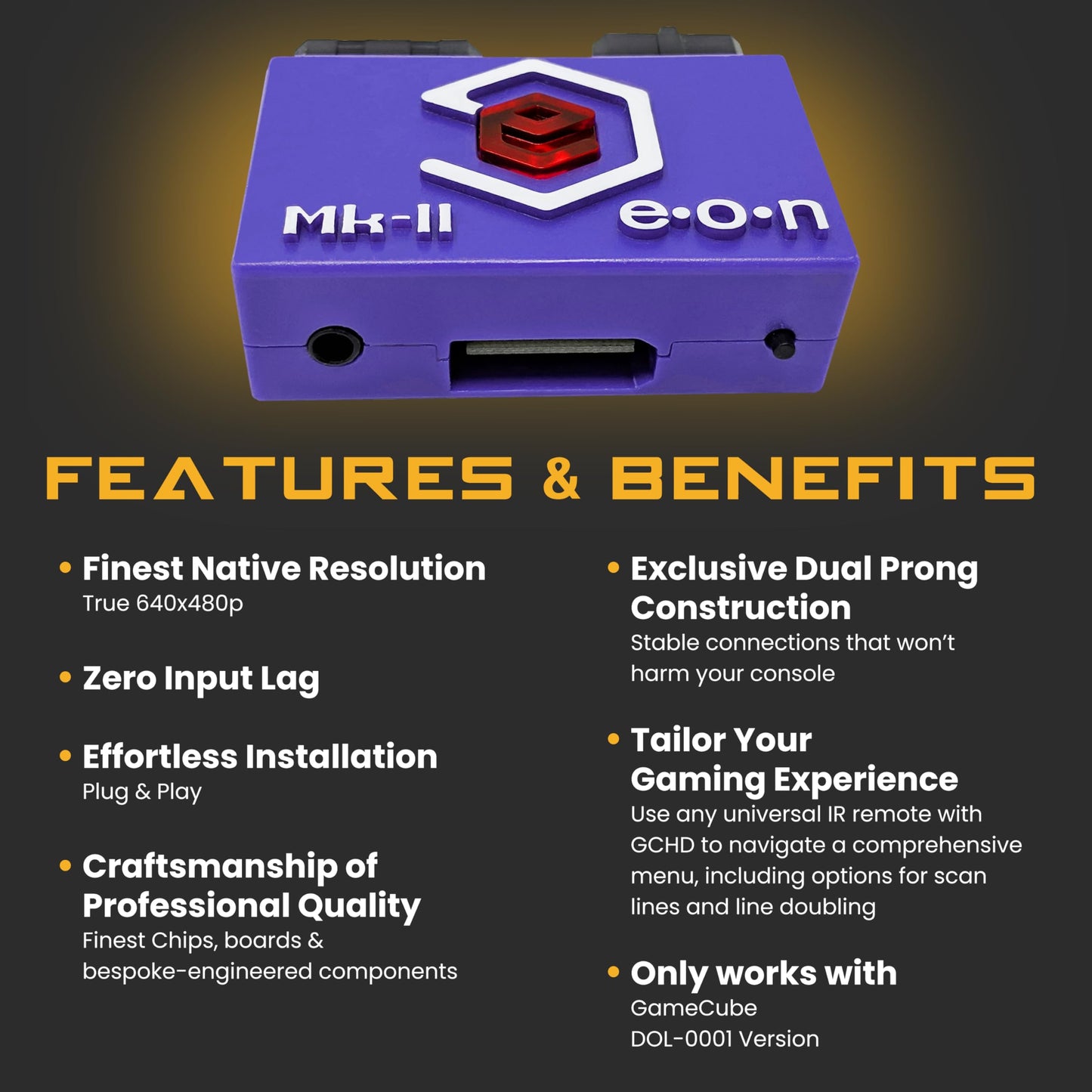
Description
Frequently Asked Questions
- Q: What is the maximum output resolution of the GCHD Mk-II Gamecube HD Adapter? A: The maximum output resolution is one thousand eighty pixels. This adapter allows you to enjoy GameCube games in full HD.
- Q: Is the GCHD Mk-II compatible with all GameCube models? A: Yes, it is designed exclusively for the Nintendo GameCube. It fits the DOL-001 model, ensuring optimal performance.
- Q: What audio output options does the GCHD Mk-II offer? A: The adapter features both digital and analog audio outputs. This provides enhanced sound options whether using HDMI or analog.
- Q: How do I install the GCHD Mk-II Gamecube HD Adapter? A: It is a plug-and-play device, requiring no software or drivers. Simply connect it to your GameCube and HDMI display to start playing.
- Q: Can I use the GCHD Mk-II with modern TVs? A: Yes, it is compatible with modern displays. The HDMI output ensures clear visuals on contemporary television sets.
- Q: How does the zero lag feature work on the GCHD Mk-II? A: The zero lag feature ensures a smooth gaming experience with no input delay. It uses advanced video conversion to maintain quality during fast-paced games.
- Q: What is the color of the GCHD Mk-II Gamecube HD Adapter? A: The adapter comes in a purple color. This stylish design complements your gaming setup.
- Q: Is the GCHD Mk-II suitable for retro gaming enthusiasts? A: Yes, it is perfect for retro gaming fans. It enhances the classic GameCube experience with high-definition output.
- Q: Will the GCHD Mk-II work without any additional software? A: Yes, it functions without needing additional software. Just plug it into your GameCube and HDMI display.
- Q: How do I ensure the best audio experience with the GCHD Mk-II? A: Use either the HDMI output for digital audio or connect via Aux/MiniTOSLINK for analog sound. This flexibility enhances your audio setup.
- Q: Does the GCHD Mk-II require any batteries? A: No, the adapter does not require batteries. It powers directly through the GameCube connection.
- Q: What should I do if my GCHD Mk-II adapter is not working? A: Check the connections to ensure they are secure. If issues persist, consult the manufacturer's support for troubleshooting assistance.
- Q: Is the GCHD Mk-II easy to transport? A: Yes, it is compact and lightweight. This makes it easy to carry for gaming sessions at friends' houses or events.
- Q: Can I use the GCHD Mk-II for gaming on a projector? A: Yes, as long as the projector has an HDMI input. You can enjoy your GameCube games on a larger screen.
- Q: What type of gameplay experience can I expect with the GCHD Mk-II? A: You can expect a clear, sharp gameplay experience. The adapter enhances visuals while providing zero lag for fast-paced gaming.