


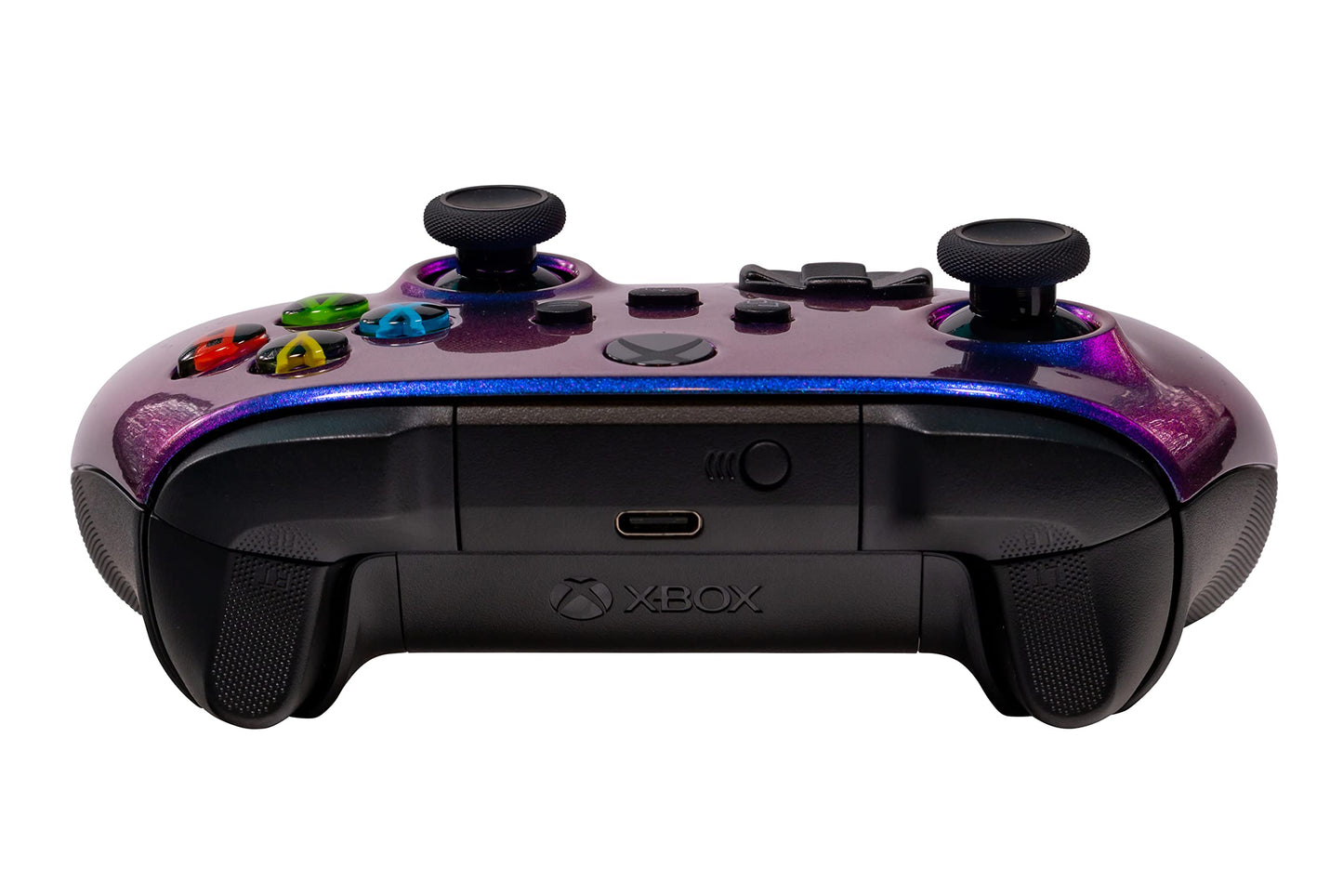
Crazy Controllerz Xbox Series X Soft Touch Controller - Chameleon Color Changing - Compatible with Xbox One, Series X, Series S
Crazy Controllerz Xbox Series X Soft Touch Controller - Chameleon Color Changing - Compatible with Xbox One, Series X, Series S
Out of stock
Couldn't load pickup availability
Guarantee safe checkout

Sold by Gamex24, an authorized reseller.
Returns accepted within 30 days | support@gamex24.com
Shipping Information
- Free Standard Shipping — United States only
- Processing Time: 1–3 business days
- Estimated Delivery: 3–5 business days after dispatch
- Securely packed to ensure your purchase arrives in perfect condition
- Tracking number sent via email once dispatched
- Orders over $250 require signature upon delivery. Taxes calculated at checkout.
Returns & Refund
Returns accepted within 30 days of delivery.
Damaged or Defective Item
Free return shipping + replacement or full refund
Wrong Item Received
Free return shipping + replacement or full refund
Change of Mind
Return shipping at customer's expense · Item must be unused & in original packaging
Safety & Compliance
California Proposition 65 Warning
Some products sold on this website may expose you to chemicals known to the State of California to cause cancer, birth defects, or other reproductive harm.
www.P65Warnings.ca.govGeneral Product Safety Advisory
Always read the product label, instructions, and safety warnings before use. Do not use damaged or modified products. Store products in appropriate conditions as specified by the manufacturer.
Keep all products out of reach of children unless specifically designed for their use.
Product Authenticity & Notice
All products sold by Gamex24 are 100% authentic, sourced directly from authorized brand distributors. Product colors and dimensions may vary slightly from images due to screen calibration and manufacturing tolerances.
Gamex24 — Play. Compete. Repeat.


Description
Frequently Asked Questions
- Q: What are the dimensions of the Xbox Series X Soft Touch Controller? A: The dimensions are seven point zero one inches in length, two point ninety-nine inches in width, and five inches in height.
- Q: What is the model of this controller? A: The model is the Xbox Series X Soft Touch Controller, designed specifically for Xbox consoles.
- Q: What color is the Xbox Series X Soft Touch Controller? A: The color is Chameleon XS, featuring a unique color-changing effect.
- Q: How do I use the Xbox Series X Soft Touch Controller? A: Simply connect it to your Xbox One, Series X, or Series S console to start gaming.
- Q: Is this controller compatible with Xbox One consoles? A: Yes, it is fully compatible with Xbox One, Series X, and Series S consoles.
- Q: Can I customize the controller further? A: No, this controller comes pre-customized with the Chameleon color changing front shell.
- Q: How do I clean the Xbox Series X Soft Touch Controller? A: Use a soft, damp cloth to wipe the exterior gently, avoiding any harsh chemicals.
- Q: Is this controller safe for children? A: Yes, it is designed to meet safety standards for gaming controllers.
- Q: What should I do if the controller arrives damaged? A: Contact customer support immediately for assistance with returns or replacements.
- Q: Does the Xbox Series X Soft Touch Controller have a warranty? A: Yes, it typically comes with a limited warranty from Crazy Controllerz.
- Q: How does the color-changing effect work? A: The controller changes colors based on the angle of light reflecting off its surface.
- Q: Is this controller easy to install? A: Yes, it’s plug-and-play; simply connect it to your console.
- Q: What materials are used in the Xbox Series X Soft Touch Controller? A: It features a custom chameleon color changing coating on an official Microsoft Xbox Series X/S controller.
- Q: Can I use this controller on a PC? A: Yes, the controller is compatible with Windows PCs that support Xbox controllers.
- Q: What if I experience connectivity issues? A: Ensure the controller is charged and try reconnecting it to your console or PC.