


Attoe Bluetooth Wireless Gaming Mouse - RGB Dual Mode, Model ATAJ120, Black1, Cool USB Mouse for Gaming and Esports
Attoe Bluetooth Wireless Gaming Mouse - RGB Dual Mode, Model ATAJ120, Black1, Cool USB Mouse for Gaming and Esports
Low stock: 10 left
Couldn't load pickup availability
Guarantee safe checkout

Sold by Gamex24, an authorized reseller.
Returns accepted within 30 days | support@gamex24.com
Shipping Information
- Free Standard Shipping — United States only
- Processing Time: 1–3 business days
- Estimated Delivery: 3–5 business days after dispatch
- Securely packed to ensure your purchase arrives in perfect condition
- Tracking number sent via email once dispatched
- Orders over $250 require signature upon delivery. Taxes calculated at checkout.
Returns & Refund
Returns accepted within 30 days of delivery.
Damaged or Defective Item
Free return shipping + replacement or full refund
Wrong Item Received
Free return shipping + replacement or full refund
Change of Mind
Return shipping at customer's expense · Item must be unused & in original packaging
Safety & Compliance
California Proposition 65 Warning
Some products sold on this website may expose you to chemicals known to the State of California to cause cancer, birth defects, or other reproductive harm.
www.P65Warnings.ca.govGeneral Product Safety Advisory
Always read the product label, instructions, and safety warnings before use. Do not use damaged or modified products. Store products in appropriate conditions as specified by the manufacturer.
Keep all products out of reach of children unless specifically designed for their use.
Product Authenticity & Notice
All products sold by Gamex24 are 100% authentic, sourced directly from authorized brand distributors. Product colors and dimensions may vary slightly from images due to screen calibration and manufacturing tolerances.
Gamex24 — Play. Compete. Repeat.


Description
Frequently Asked Questions
- Q: What makes the Attoe Bluetooth Wireless Mouse suitable for gaming? A: The Attoe Bluetooth Wireless Mouse features a mechanical design and a transparent shell that enhances its aesthetic appeal while providing a comfortable grip. Its ergonomic shape supports long gaming sessions without causing fatigue, making it ideal for gamers.
- Q: How does the dual mode connection work? A: This mouse supports both 2.4GHz wireless and Bluetooth connections. The dual mode allows for a reliable link with an extended working range of up to thirty-three feet (fifteen meters), ensuring minimal delays and consistent performance.
- Q: Can I customize the RGB lighting effects on this mouse? A: Yes, the Attoe Bluetooth Wireless Mouse offers various customizable RGB lighting effects. Users can adjust the lighting modes through buttons located on the bottom of the mouse, allowing for a personalized gaming or work atmosphere.
- Q: Is this mouse compatible with Mac OS? A: The Attoe Bluetooth Wireless Mouse is compatible with Mac OS, but it should be noted that two left-side buttons are not functional on this operating system. It is fully compatible with other systems like Windows and Linux.
- Q: What are the dimensions and weight of the Attoe Bluetooth Wireless Mouse? A: The product specifications do not include exact dimensions or weight. However, it is designed to be lightweight and portable, making it a convenient option for both gaming and office use.
- Q: Does this mouse require any software installation? A: No additional software or firmware installation is required for the Attoe Bluetooth Wireless Mouse. It features a plug-and-play setup, allowing for immediate use once connected to a compatible device.
- Q: What types of surfaces can I use this mouse on? A: The Attoe Bluetooth Wireless Mouse is designed to work on a variety of surfaces including mouse pads, desks, and even some fabric surfaces, providing versatility for different user environments.
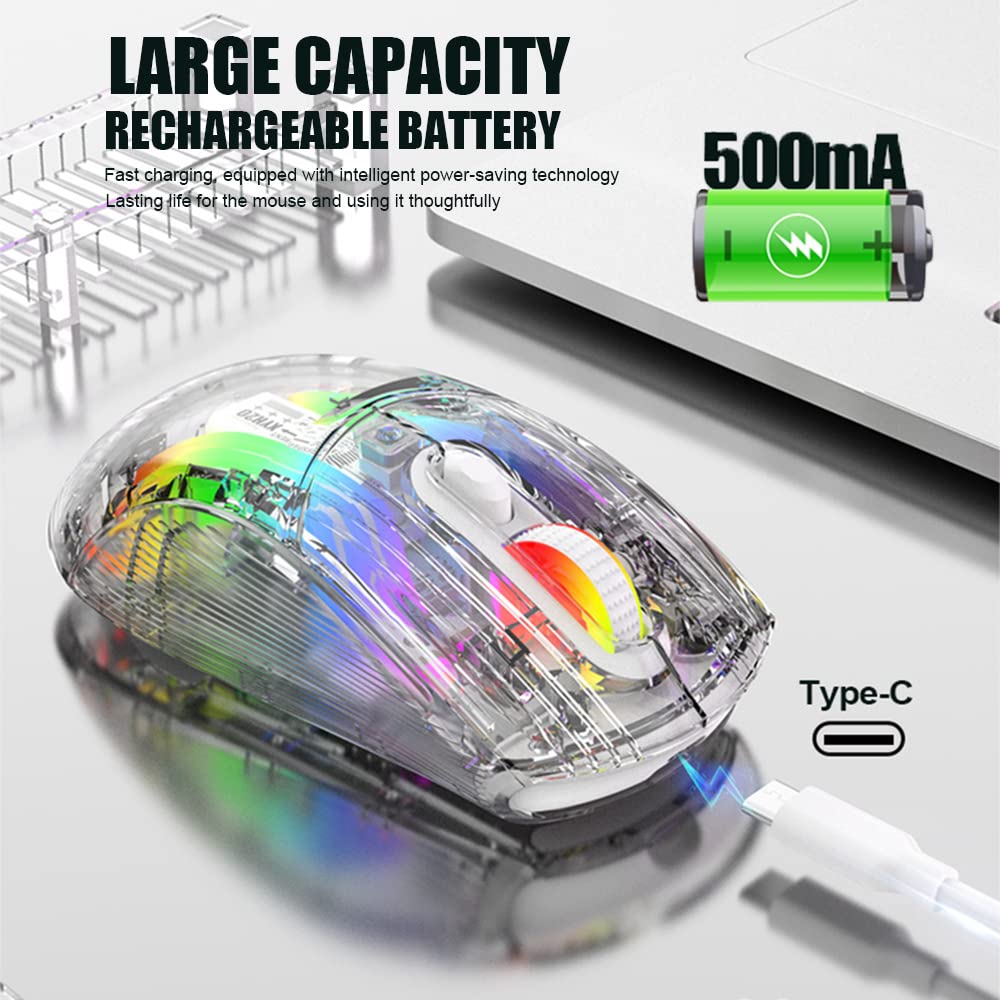
- Q: How long does the battery last on this wireless mouse? A: The specific battery life is not detailed in the product information. However, users can generally expect extended use due to the efficient power management typical of wireless gaming mice.
- Q: Is the Attoe Bluetooth Wireless Mouse suitable for office use? A: Yes, the ergonomic design and comfortable grip make the Attoe Bluetooth Wireless Mouse a suitable choice for office work, in addition to its gaming capabilities.
- Q: What should I do if the mouse doesn't connect to my device? A: If the Attoe Bluetooth Wireless Mouse doesn't connect, ensure that your device's Bluetooth is enabled and that the mouse is charged. Try resetting the connection by turning the mouse off and on, and re-attempt pairing.