


8Bitdo M30 Wireless Bluetooth Controller for Switch, PC, Mac, Android - Retro Gamepad in White
8Bitdo M30 Wireless Bluetooth Controller for Switch, PC, Mac, Android - Retro Gamepad in White
Out of stock
Couldn't load pickup availability
Guarantee safe checkout

Sold by Gamex24, an authorized reseller.
Returns accepted within 30 days | support@gamex24.com
Shipping Information
- Free Standard Shipping — United States only
- Processing Time: 1–3 business days
- Estimated Delivery: 3–5 business days after dispatch
- Securely packed to ensure your purchase arrives in perfect condition
- Tracking number sent via email once dispatched
- Orders over $250 require signature upon delivery. Taxes calculated at checkout.
Returns & Refund
Returns accepted within 30 days of delivery.
Damaged or Defective Item
Free return shipping + replacement or full refund
Wrong Item Received
Free return shipping + replacement or full refund
Change of Mind
Return shipping at customer's expense · Item must be unused & in original packaging
Safety & Compliance
California Proposition 65 Warning
Some products sold on this website may expose you to chemicals known to the State of California to cause cancer, birth defects, or other reproductive harm.
www.P65Warnings.ca.govGeneral Product Safety Advisory
Always read the product label, instructions, and safety warnings before use. Do not use damaged or modified products. Store products in appropriate conditions as specified by the manufacturer.
Keep all products out of reach of children unless specifically designed for their use.
Product Authenticity & Notice
All products sold by Gamex24 are 100% authentic, sourced directly from authorized brand distributors. Product colors and dimensions may vary slightly from images due to screen calibration and manufacturing tolerances.
Gamex24 — Play. Compete. Repeat.


Description
Frequently Asked Questions
- Q: What platforms is the 8Bitdo M30 Wireless Bluetooth Controller compatible with? A: The 8Bitdo M30 Wireless Bluetooth Controller is widely compatible with multiple platforms, including Nintendo Switch, PC Windows, MacOS, Android devices, and Raspberry Pi.
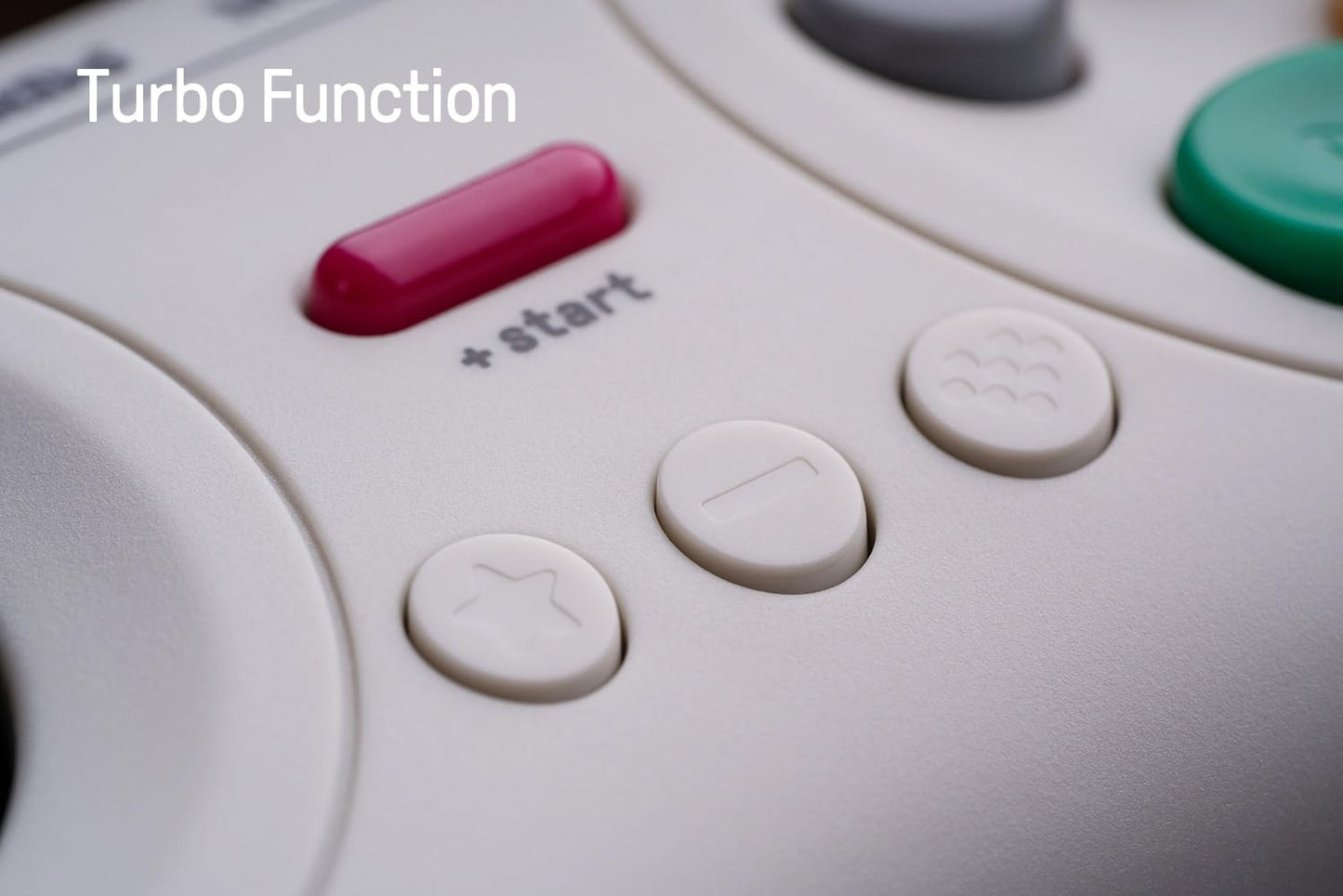
- Q: Does the controller support a turbo function, and how does it work? A: Yes, the 8Bitdo M30 controller features a turbo function. To activate it, hold the button you wish to program, then press the STAR button to enable or disable the turbo functionality.
- Q: What is the battery life of the M30 controller? A: The 8Bitdo M30 controller is equipped with a rechargeable 480mAh lithium-ion battery, providing approximately eighteen hours of playtime with a charging time of one to two hours.
- Q: How does the Sega-style d-pad enhance gameplay? A: The Sega-style d-pad on the 8Bitdo M30 controller allows for precise movement in eight directions. This design facilitates slow, accurate movements by enabling users to click the d-pad repeatedly.
- Q: What are the dimensions and weight of the 8Bitdo M30 controller? A: The dimensions of the 8Bitdo M30 controller are approximately one hundred forty-seven millimeters long, seventy-four millimeters wide, and thirty-one millimeters high, with a weight of one hundred fifteen grams.
- Q: Can the controller be used wirelessly and wired? A: Yes, the 8Bitdo M30 controller can be used both wirelessly via Bluetooth and wired through a USB-C connection, providing flexibility in how you play.
- Q: Is it possible to update the firmware of the M30 controller? A: Yes, the 8Bitdo M30 controller supports firmware updates, allowing users to access the latest features and improvements.
- Q: What retro features does the M30 controller include? A: The 8Bitdo M30 controller features a retro design inspired by the Sega Genesis and Mega Drive, combining classic aesthetics with modern functionality for a nostalgic gaming experience.
- Q: How do I connect the 8Bitdo M30 controller to my device? A: To connect the 8Bitdo M30 controller, enable Bluetooth on your device, then power on the controller. It will auto reconnect to previously paired devices.
- Q: What should I do if the controller is not responding? A: If the 8Bitdo M30 controller is not responding, try charging it fully, ensure it is paired with your device, or perform a reset by following the instructions in the user manual.