

PS5 Overheating While Gaming? Here's What's Actually Happening — and How to Keep Playing
Your PS5 shuts itself down right in the middle of a race. Or you get that dreaded temperature warning icon while you're deep into a tactical battle. It's one of the most frustrating things that can happen mid-session — and it's more common than Sony would probably like to admit.
The good news: most PS5 overheating issues are fixable at home, without voiding your warranty or sending anything in for repair. But you do need to understand what's actually causing the problem before you can fix it. Let's get into it.
Why Your PS5 Gets Hot in the First Place
The PS5 runs a powerful custom processor that generates real heat under load. Sony built in a large vapor chamber cooling system and a variable-speed fan to manage that heat — and under normal conditions, it works well. The problem is that "normal conditions" is doing a lot of heavy lifting there.
Certain games push the hardware much harder than others. A visually dense racing sim like Assetto Corsa Competizione — the official GT World Challenge game — is a sustained thermal workout. The physics simulation, tire modeling, and high-fidelity track rendering run continuously, lap after lap, with no natural breathing room. The GPU and CPU stay pegged at high load for the entire session.
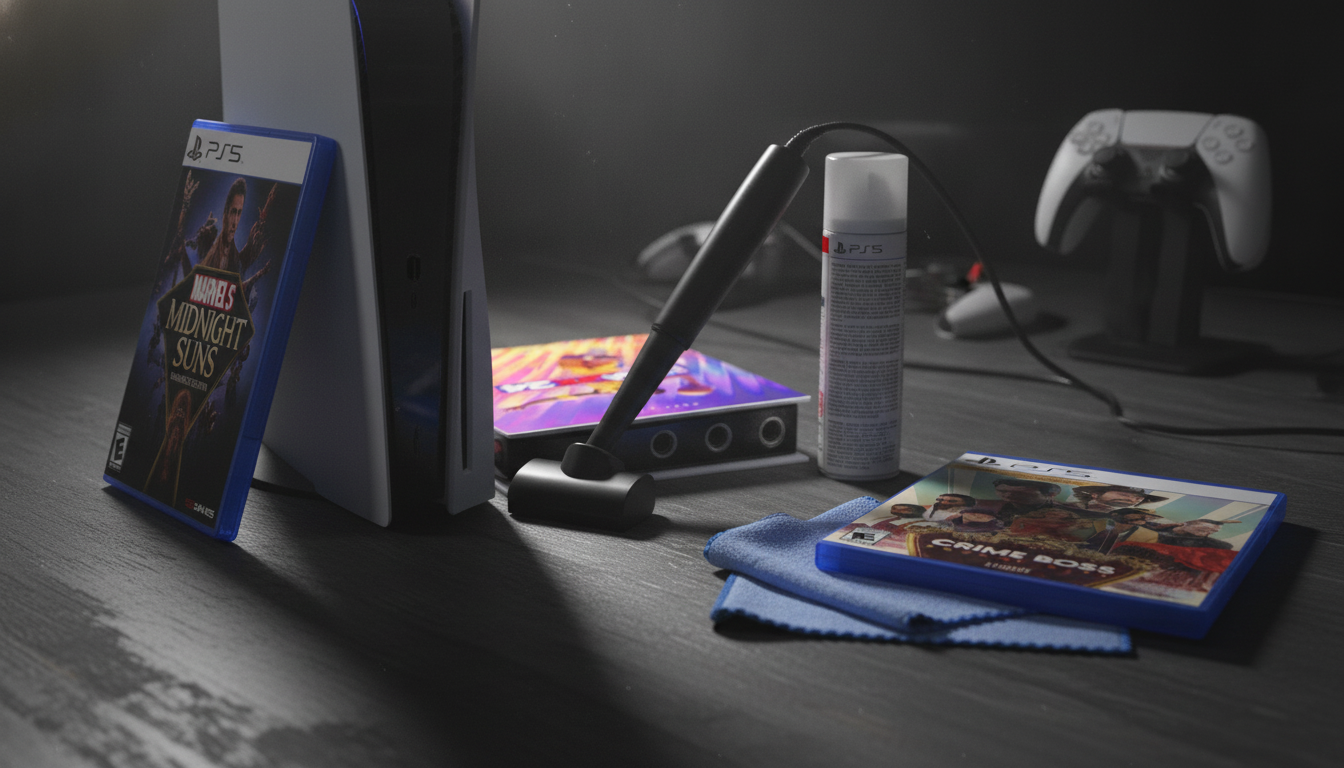
A turn-based strategy game like Marvel's Midnight Suns Enhanced Edition is different in texture — you're managing cards, positioning heroes, and making decisions at your own pace — but extended play sessions still accumulate heat, especially during the cinematic sequences and ability animations that hit the GPU hard. Long sessions are long sessions, regardless of genre.
The point is: the type of game matters. If you're three hours into a Assetto Corsa endurance race or grinding through back-to-back Midnight Suns missions, your PS5 is working harder than it does during a casual 45-minute NBA 2K24 pickup game.
The Three Real Culprits
1. Dust Buildup
This is the most common cause and the most overlooked. The PS5 pulls air in through its side vents and exhausts it out the back. Over months of use, dust accumulates on the fan blades and inside the heatsink fins, reducing airflow. Less airflow means higher temperatures. It's that simple.
Sony actually designed the PS5 with user-accessible dust catchers — two circular ports on the underside of the console that you can vacuum out without opening the unit. Do this every few months. It takes two minutes and makes a real difference. For a deeper clean, removing the side panels (which snap off without tools) lets you vacuum the fan directly.
2. Poor Ventilation Around the Console
The PS5 needs clearance on all sides — especially the back where hot air exits. If it's in an entertainment cabinet with the doors closed, or sitting flush against a wall, it's recirculating its own hot exhaust. That's a fast track to a shutdown.
A few practical rules: keep at least a few inches of clearance behind and above the unit, never put it in an enclosed space without airflow, and avoid stacking anything on top of it. The PS5 is a large console for a reason — it needs room to breathe.
3. Aging Thermal Paste
This one applies to consoles that are a few years old. The thermal paste between the processor and the heatsink degrades over time, becoming less effective at transferring heat. If you've had your PS5 since launch and you're suddenly seeing more overheating than you used to, dried-out thermal paste is a legitimate suspect.
Replacing it requires opening the console, which is more involved than a quick dust-out. If you're comfortable with basic electronics teardowns, guides exist for this. If not, a local repair shop can do it without costing you a fortune. It's worth it if your console is out of warranty and running consistently hot.
Quick Checklist Before You Do Anything Drastic
- Vacuum the dust ports on the underside of the PS5
- Remove the side panels and vacuum the fan area
- Move the console somewhere with open airflow on all sides
- Check that the back exhaust vent isn't blocked by a wall or furniture
- Let the console rest for 30 minutes after a shutdown before restarting
- Consider a vertical stand if the console is currently lying flat — some users report better airflow in vertical orientation
Most people find that steps one through four alone solve the problem entirely. Do those first.
Which Games to Watch During Hot Weather
If your home gets warm in summer and your PS5 is in a room without great air conditioning, be more deliberate about session length with demanding titles. A multi-hour racing session in Assetto Corsa Competizione (Day One Edition, which includes the 2020 GT World Challenge Pack DLC) on a hot afternoon is about the highest sustained thermal load you can put on the console. Same goes for marathon runs in Crime Boss: Rockay City, which has a lot of action happening simultaneously on screen during heist missions.
That doesn't mean you can't play them — it means taking a break every couple of hours, letting the console cool, and making sure your setup has solid ventilation before you start a long session.
NBA 2K24 Kobe Bryant Edition tends to be a bit gentler on thermals during standard exhibition games, since the rendering load is more predictable and there are natural breaks in play. But MyCareer grind sessions that run for hours are still worth monitoring.
When to Worry
If you've done all of the above — cleaned the dust, improved ventilation, given it rest time — and the console is still shutting down or throwing warnings regularly, that's a sign something deeper is wrong. At that point, check whether your console is still under warranty. If it is, contact Sony support. If it isn't, the thermal paste replacement mentioned above is usually the next step worth trying before assuming the hardware is failing.
A PS5 that's properly maintained should handle even the most demanding games without drama. Most overheating complaints trace back to dust and airflow, not a defective unit.
Once your console is running cool and stable, the library waiting for you is genuinely excellent. Browse PS5 games at GameX24 — from tactical RPGs and racing sims to co-op shooters and sports titles, there's no shortage of ways to put that cooling system to work.
Frequently Asked Questions
How do I know if my PS5 is actually overheating or just running warm?
The PS5 will display a temperature warning icon on screen before it shuts itself down — that's the clearest signal. If the console is simply warm to the touch or the fan is running loudly, that's normal behavior under heavy load. A shutdown or on-screen warning means the system hit its thermal limit and cut power to protect itself.
Is it safe to vacuum inside the PS5 to clean it?
Yes, with some care. Sony designed two accessible dust ports on the underside that are safe to vacuum with a standard household vacuum or a small handheld. For the fan itself, removing the side panels (they snap off without tools) lets you vacuum more thoroughly. Avoid using compressed air cans directly on circuit boards, and never use a damp cloth near internal components.
Does the PS5 overheat more in vertical or horizontal position?
There's no definitive universal answer — both orientations are officially supported by Sony. The more important factor is clearance around the console. Whichever position gives the exhaust vent at the back the most open space is generally the better choice for your specific setup. Some users do report improved airflow in vertical orientation, but ensuring unobstructed space matters more than orientation alone.
Can demanding PS5 games actually damage the console if it overheats repeatedly?
The PS5's thermal protection is designed to shut the console down before any damage occurs — so a single overheat event shouldn't cause lasting harm. Repeated shutdowns over a long period, however, are a sign that the underlying issue isn't resolved, and running any electronics consistently at thermal limits isn't ideal for long-term reliability. Fix the root cause (dust, airflow, or thermal paste) rather than treating shutdowns as an acceptable recurring event.