

Mobile Gaming Accessories That Are Actually Worth Buying: A Practical List for U.S. Gamers
The mobile gaming accessories market is full of products that look great in an unboxing video and collect dust within a month. A clip-on fan that sounds like a hair dryer. A trigger set that makes your thumbs cramp. A stand that tips over every time you tap the screen. If you've bought any of these, you're not alone.
The good news: a handful of accessory categories genuinely improve the experience — not in a marginal, placebo kind of way, but in a "I can't believe I played without this" way. The trick is knowing which ones those are, and what actually separates a useful version from a useless one.
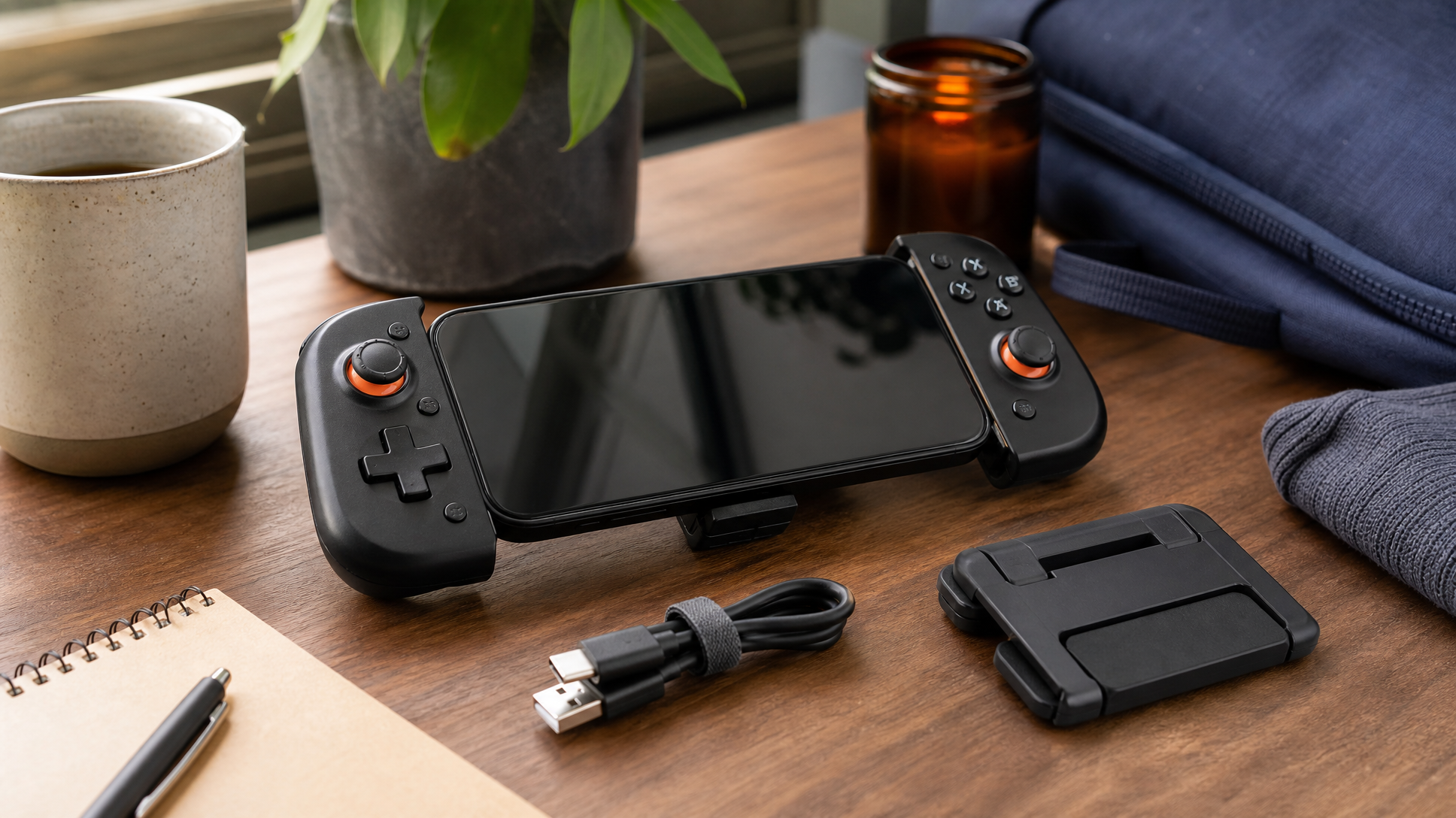
A Clip-On Controller: The One Upgrade That Changes Everything
Touchscreen controls are the single biggest limitation of mobile gaming. Your thumbs block the screen, there's no tactile feedback, and precision-heavy games — shooters, platformers, fighting games — become genuinely frustrating. A clip-on Bluetooth controller solves all three problems at once.
What to look for: compatibility with your phone's size and OS is the obvious starting point, but the more important question is latency. A controller with noticeable input lag is worse than touchscreen controls because it adds a new source of frustration without removing the old ones. Stick to controllers with a solid Bluetooth reputation and look for ones with a physical grip that actually holds your phone securely — some cheaper options rely on a flimsy spring clamp that loosens after a few weeks.
Battery life matters more than most buyers realize. If the controller dies mid-session and needs to charge separately from your phone, you're managing two charging schedules instead of one. Controllers that charge via USB-C and hold a charge for several hours of continuous play are worth prioritizing.
One honest trade-off: clip-on controllers add bulk. If you play mostly in short bursts or commute with your phone in a tight pocket, that extra size is a real consideration, not a minor inconvenience.
A Cooling Clip or Fan: Only Useful in Specific Situations
Phone cooling accessories get a lot of hype, and the reality is more nuanced. Most phones throttle performance when they overheat, which means a sustained gaming session — especially in a warm room or with a graphically demanding game — can result in dropped frames and sluggish input response. A cooling clip addresses that specific problem.
The catch is that not all cooling clips are effective. Passive coolers (no moving parts, just a heat-sink plate) are nearly silent and work reasonably well for light throttling. Active coolers with a small fan move more heat but add noise and drain your phone's battery faster if they're USB-powered. Semiconductor (Peltier) coolers are the most aggressive option and the most power-hungry.
Be realistic about whether you actually need one. If your phone runs warm but doesn't visibly stutter during gaming, a cooling clip probably won't change your experience. If you regularly notice slowdowns after 20-30 minutes of play, it's worth trying. Skip it entirely if you mostly play turn-based or casual games — the thermal load isn't high enough to matter.
A Phone Stand or Mount: Underrated and Cheap
Holding your phone for an hour of gaming is tiring in a way that sneaks up on you. A decent stand — whether a desktop kickstand, a clip mount for a desk edge, or a grip with a built-in stand — costs very little and removes the fatigue entirely.
The thing most buyers overlook is viewing angle. A stand that holds your phone at a fixed 90-degree angle is only comfortable if you're sitting directly in front of it at the right height. Adjustable stands that let you dial in the angle are worth the small price difference. For couch gaming, a lap mount or a stand with a weighted base that won't tip on soft surfaces is a better fit than a standard desk stand.
If you're already using a clip-on controller, check whether it has a built-in kickstand before buying a separate one — many do, and it's one less thing to carry.
MFi-Certified or MagSafe Accessories: Worth Caring About If You're on iPhone
If you're on iOS, the certification question matters more than it does on Android. Apple's MFi (Made for iPhone/iPad) program certifies third-party accessories for compatibility and safety. An MFi-certified controller or charging accessory has been tested to work reliably with Apple hardware; uncertified accessories may work fine, or may cause charging issues, connection drops, or software warnings.
MagSafe mounts are a genuinely useful category for iPhone users — a MagSafe-compatible phone mount snaps on and off without a case swap, holds securely, and can double as a charging mount if you pick one with pass-through charging. If your phone supports MagSafe, it's one of the cleaner mounting solutions available.
Trigger Clips: Proceed With Caution
Trigger clips — the small L-shaped buttons that attach to the sides of your phone and register taps — are popular in the mobile FPS community. They can give you a slight edge in games that support physical button mapping. But the quality range is enormous. Cheap trigger clips feel mushy, shift position mid-game, and can scratch your phone's frame. Better ones have a firmer click and a more secure grip.
The honest caveat: triggers only help if the game you play supports customizable button mapping. If it doesn't, the clip is useless. Check before you buy.
What's Usually Not Worth It
A few categories you'll see marketed heavily that rarely justify the purchase:
- Screen magnifiers — the accordion-style plastic lenses that claim to enlarge your display. They distort the image more than they amplify it, and any phone made in the last few years already has a screen large enough to make them pointless.
- "Gaming" earbuds marketed specifically for mobile — latency and sound quality are what matter in earbuds, and those specs aren't exclusive to anything labeled "gaming." Buy earbuds based on audio specs, not the label.
- Joystick thumbcap sticks — small suction-cup joysticks that sit on your touchscreen. They feel satisfying for about ten minutes, then become more hindrance than help because they reduce touch accuracy rather than improving it.
If You're Playing on a Handheld Console, the Rules Change
If your "mobile gaming" setup is actually a Steam Deck or a Nintendo Switch rather than a phone, the accessory priorities shift. You're already past the controller problem — the hardware has one built in. What matters more is a quality carrying case, a reliable dock or hub for TV play, and possibly a screen protector for a device you're taking on the road.
For Steam Deck players especially, storage and battery life are the common friction points. An external SSD in an enclosure or a high-capacity microSD card addresses the storage side; a compact USB-C power bank with enough wattage to actually charge the Deck (not just slow the drain) handles the battery side. Browse the accessories collection at GameX24 to see what's available across handheld and mobile platforms.
The Short Version
Buy a clip-on controller if you play anything that requires precision. Add a stand if you game for more than 30 minutes at a stretch. Consider a cooling clip only if your phone actually throttles. Skip the gimmicks — your setup doesn't need to look impressive, it needs to feel good to use.
If you want to see what's worth picking up across mobile, handheld, and PC gaming, GameX24 carries accessories across all major platforms in one place — no hunting across five different storefronts. Check out the controllers collection to start, or browse the full accessories catalog for handheld and mobile gear worth your money.
Frequently Asked Questions
Do mobile gaming controllers work with both Android and iPhone?
Many Bluetooth controllers are cross-compatible, but not all. Before buying, check the manufacturer's listed compatibility — some controllers are optimized for one OS and have limited functionality on the other. If you're on iPhone, look for MFi-certified options for the most reliable experience.
Will a phone cooling clip actually improve game performance?
It depends on whether thermal throttling is actually affecting your phone. If your device runs hot and you notice frame drops or sluggish input after extended sessions, a cooling clip can help. If your phone stays cool or you play shorter, less demanding games, you're unlikely to see a measurable difference.
Are mobile gaming accessories compatible with the Steam Deck?
Some are, some aren't. The Steam Deck has its own built-in controls, so clip-on controllers aren't relevant. Accessories like USB-C hubs, carrying cases, screen protectors, and external storage are all compatible. Just confirm USB-C or microSD compatibility before purchasing any accessory marketed for phones.
What's the difference between a passive and active phone cooler?
A passive cooler uses a heat-sink plate with no moving parts — it's silent and draws no power, but moves less heat. An active cooler adds a small fan (and sometimes a Peltier semiconductor element) to move heat more aggressively, but it's louder and draws power from your phone or a separate source. For most users, a passive or basic fan cooler is sufficient; Peltier coolers are overkill unless you're playing in a warm environment for hours at a time.